OBS graphics
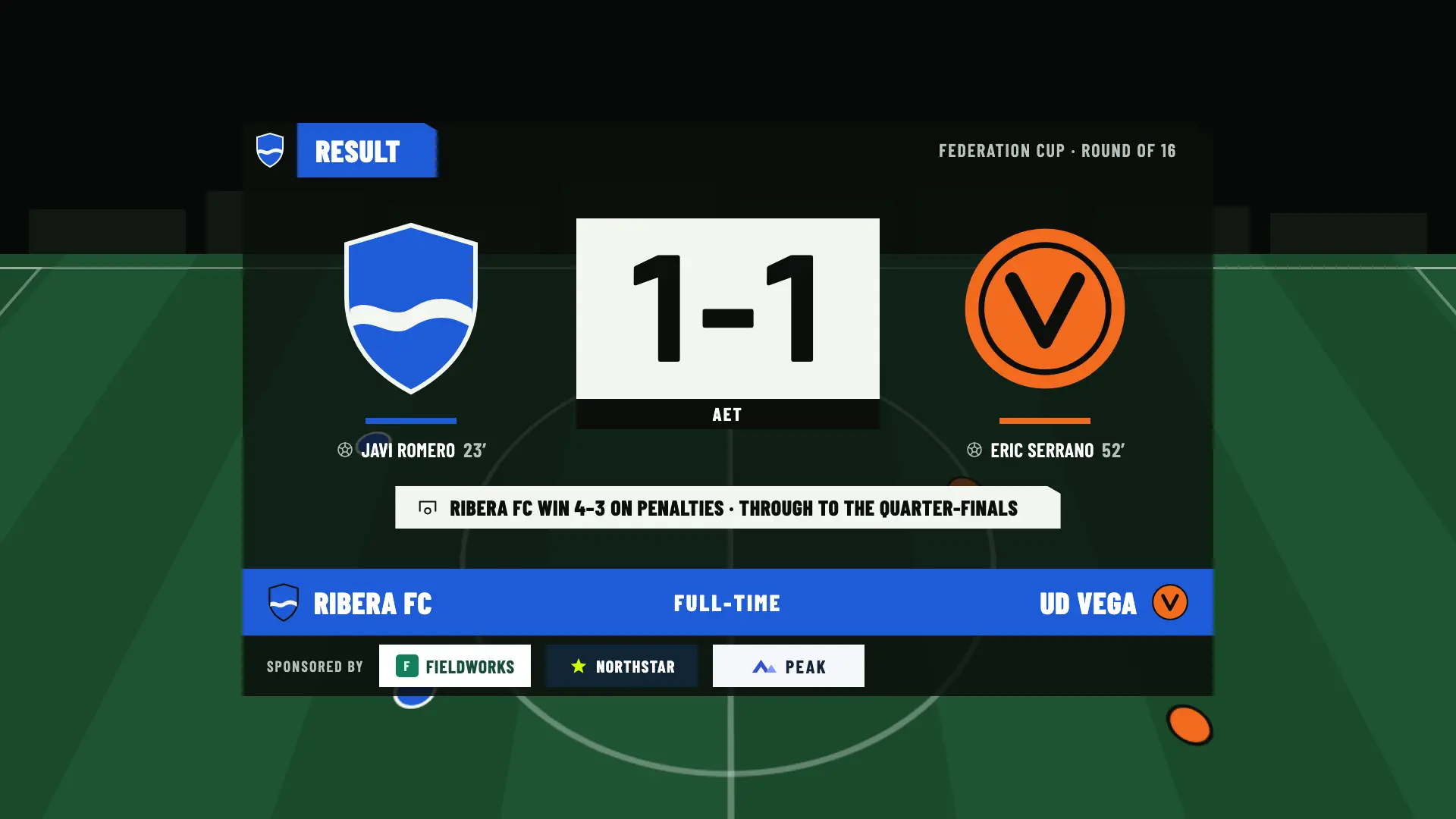
The match card, scoreboard and final result, including extra time and penalties, in a single browser source.
Every match knows which competition it belongs to. A league has matchdays and standings, a cup settles a tie with extra time and penalties, and a friendly has no round.
Managing competitions and standings is free. Showing them in OBS is a Studio feature.
Each team has its own competitions for each season, with a name, season, group and logo. The type decides how each match behaves.
Each match belongs to a matchday and can end in a draw. You can keep the league standings, and you confirm them.
Final, Semifinal, Quarter-finals, Round of 16, Round of 32 or any text you want. If it’s a draw, it goes to extra time and penalties by default. Cups have no table.
A one-off match: it has no matchday or round and can end in a draw.
Each type comes with its own default rule, and you change it match by match in the Format step. There are three.
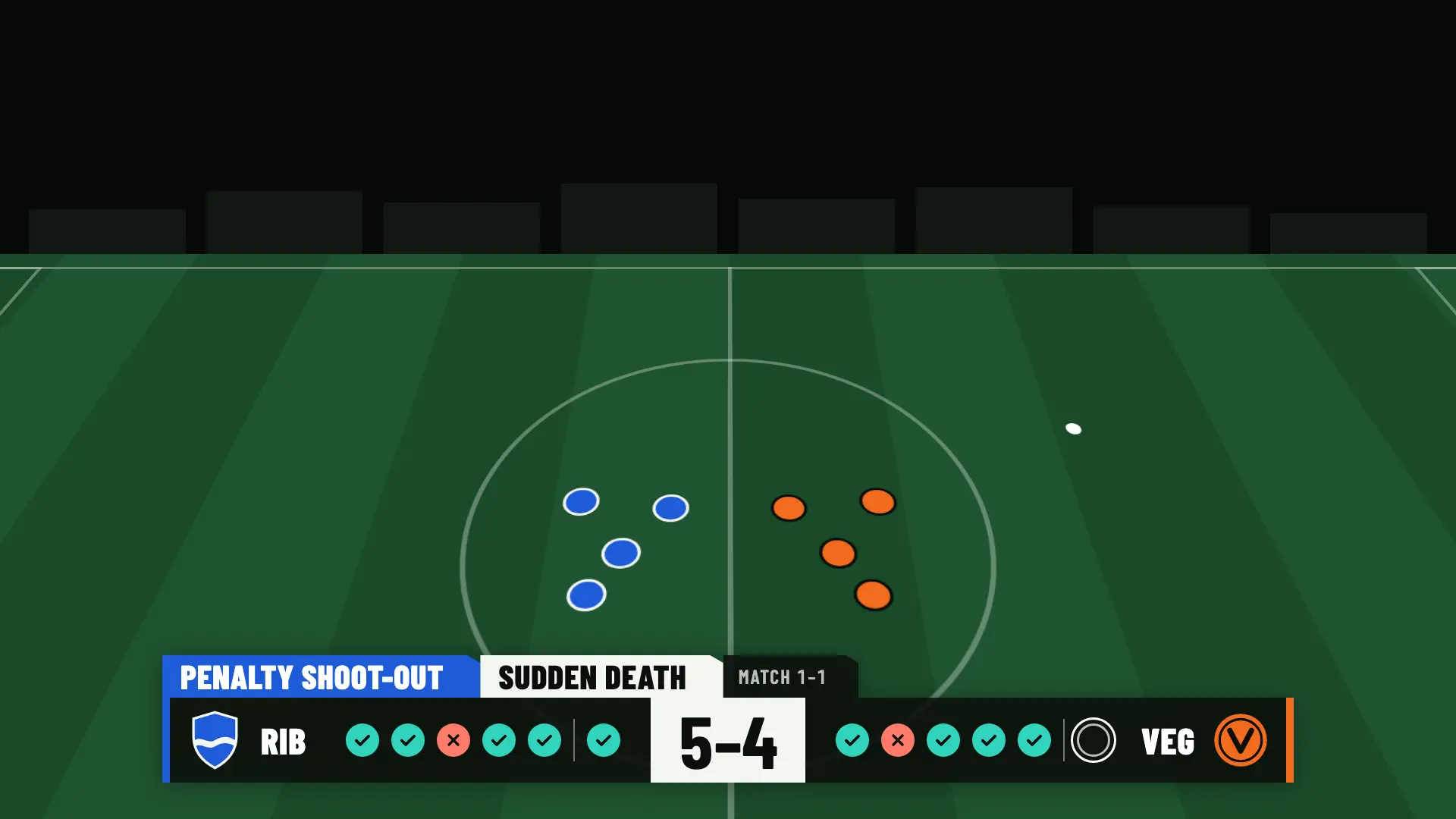
Each kick is logged on your phone and the panel updates by itself: five kicks each and, if it’s still tied, sudden death. When it ends, the winner appears, and the final result includes the shoot-out.
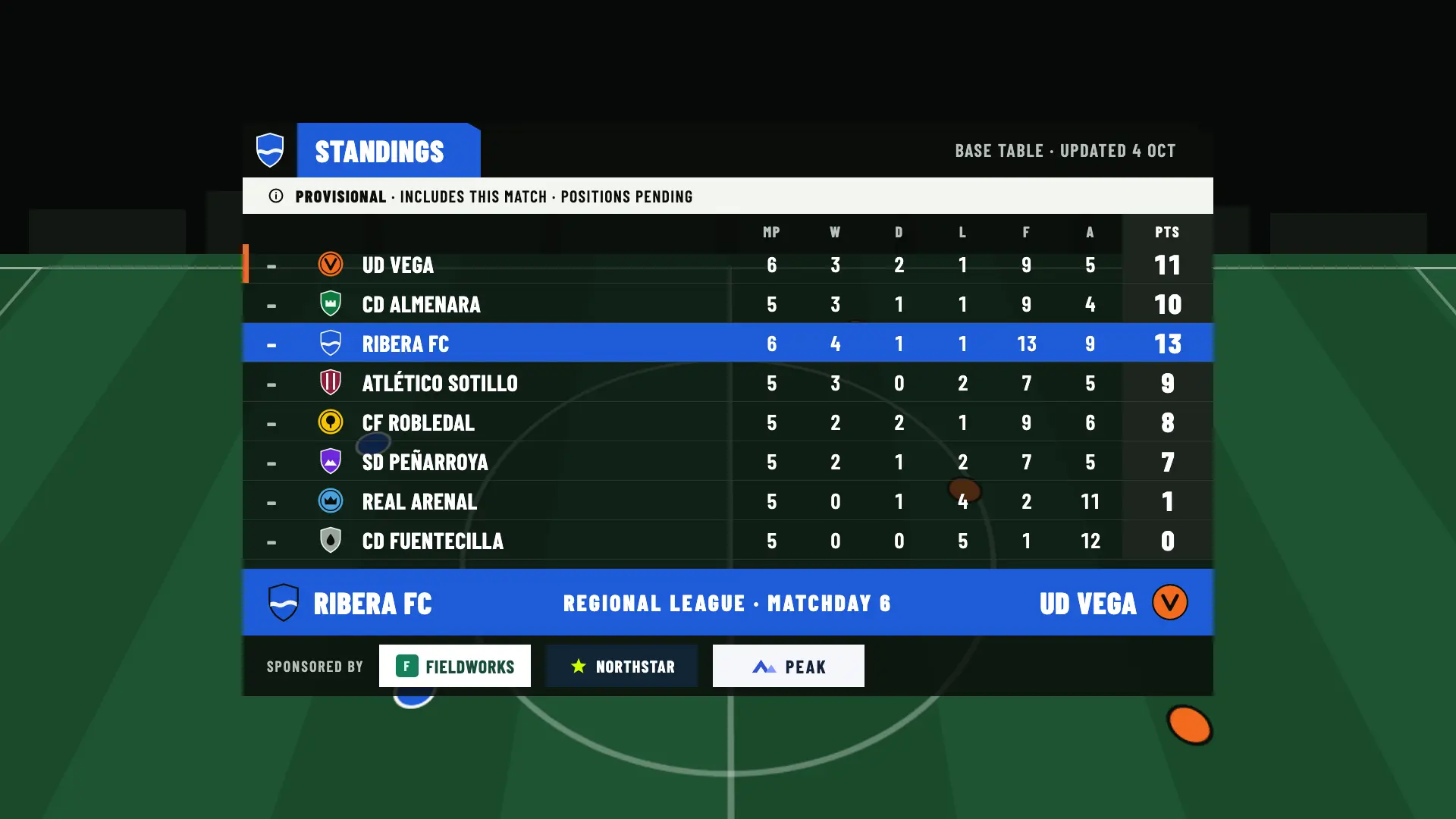
OBSfootball does not calculate the table on its own. You enter it, it stays as a draft and, once you confirm it, it becomes the official one: the graphics and the club page only use the latest confirmed table.
Managing the standings is free on every plan. Showing them in OBS is a Studio feature.
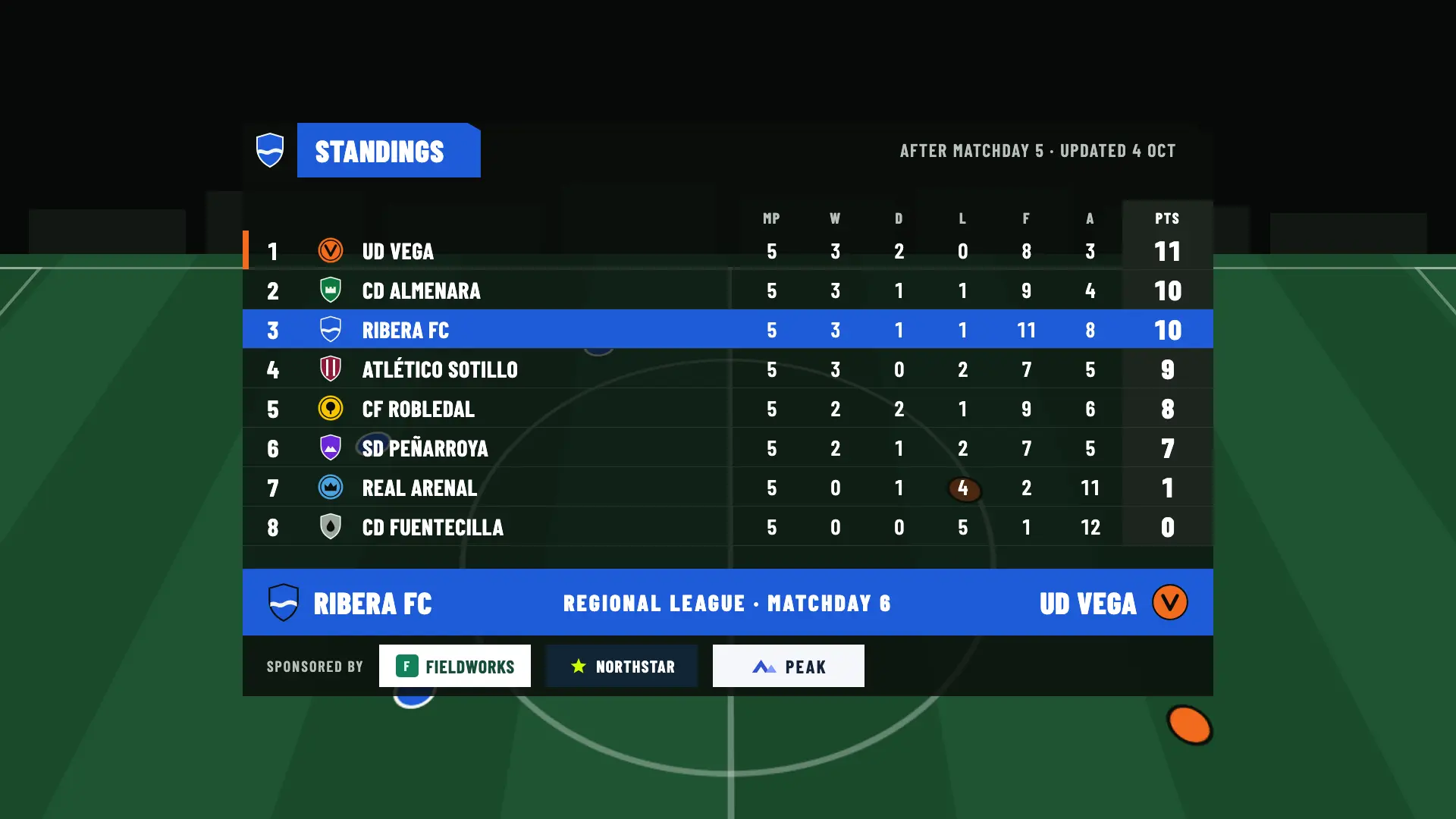
With Studio, the season panels appear alongside the match card and the line-ups: standings, head to head against your opponent, recent results and season record in the pre-match; provisional standings, season record and upcoming matches at full time.
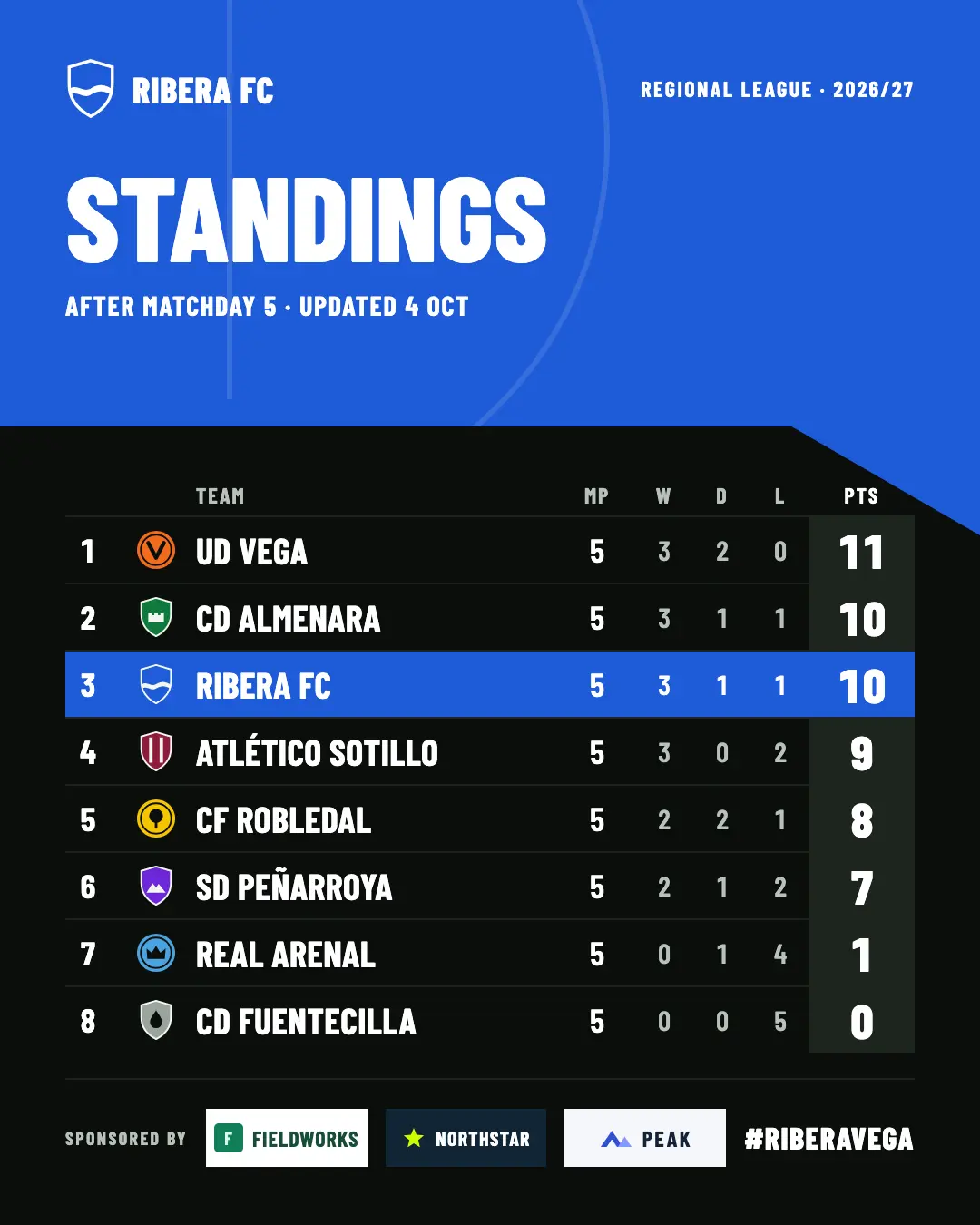
With Studio, the standings and the rest of the season each have an image template, with suggested text and a description for screen readers.
Each half can last from 1 to 60 minutes, with shortcuts for 45, 40, 35 and 30. Extra time runs from 1 to 30 minutes per half, 15 by default. And the tie-break is one of three rules: can end in a draw, extra time and penalties, or straight to penalties.
Competitions, standings and cup matches work the same on every plan. The season panels and the social media images are Studio features.
| Feature | Free | Match Pass €4.90 | Pro €19/month | Studio €39/month |
|---|---|---|---|---|
| Competitions per team and season: league, cup and friendly | Included | Included | Included | Included |
| Matchdays and named rounds | Included | Included | Included | Included |
| Configurable half length, extra time and tie-break | Included | Included | Included | Included |
| Extra time and penalty shoot-out, in the control and in OBS | Included | Included | Included | Included |
| Manual standings: draft, confirmed and applying results | Included | Included | Included | Included |
| Confirmed standings on the club page | Included | Included | Included | Included |
| Season panels in OBS: standings, head to head, recent results, season record and upcoming matches | Not included | Not included | Not included | Included |
| Standings and season images for social media | Not included | Not included | Not included | Included |
No. The club enters and confirms the standings. When you apply the result of a league match you see the table before and after, and you decide whether to save it. Until you confirm, the graphics and the club page keep using the latest confirmed table.
Each match is independent. OBSfootball does not draw knockout brackets or calculate an aggregate result across two matches: each one has its own result and its own round.
No. Managing competitions and standings is free on every plan, and the club page shows the confirmed standings. Showing them in OBS is a Studio feature, as are head to head, recent results, the season record and upcoming matches.
By default, a cup match goes to extra time and, if it’s still tied, to penalties. You can change it for each match: it can end in a draw, go to extra time and penalties, or go straight to penalties. The format locks when you start production or confirm the result.
Yes. Each half can last from 1 to 60 minutes, with shortcuts for 45, 40, 35 and 30, and extra time from 1 to 30 minutes per half, 15 by default. You set it in the match’s Format step.
Create each team’s competitions at no cost. Keeping the standings is free; showing them in OBS is a Studio feature.
If you accept, we share your public page visits, clicks to the app and, once permission is confirmed, your registration and purchases with TikTok to measure our ads. TikTok also receives technical browser information.
This is optional and separate from app analytics. We store campaign identifiers for 30 days. You can use OBSfootball without accepting and change your choice here. Privacy policy