Available with Studio
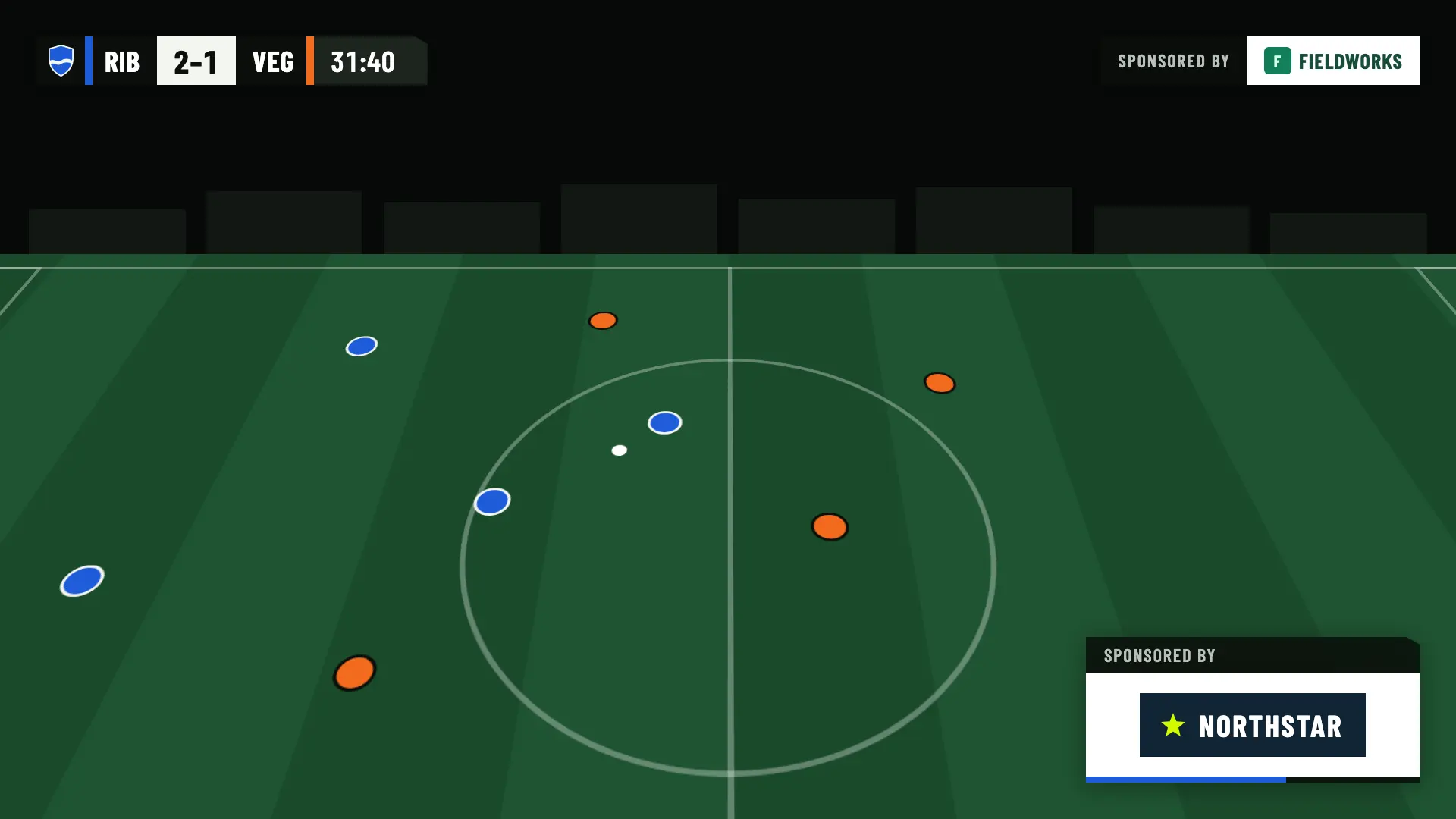
Sponsors during play
A fixed corner and a rotation at the bottom right, or appearances scheduled by minute. They hide during a goal, a card or the shoot-out.
Scoreboard with clock, goal lower thirds, cards and substitutions, line-ups, half-time and full-time panels to stream football with OBS. You add them as a browser source and they update with what you record on your phone.
Previewing the graphics doesn’t use up a match. Your first 2 broadcast matches are free.
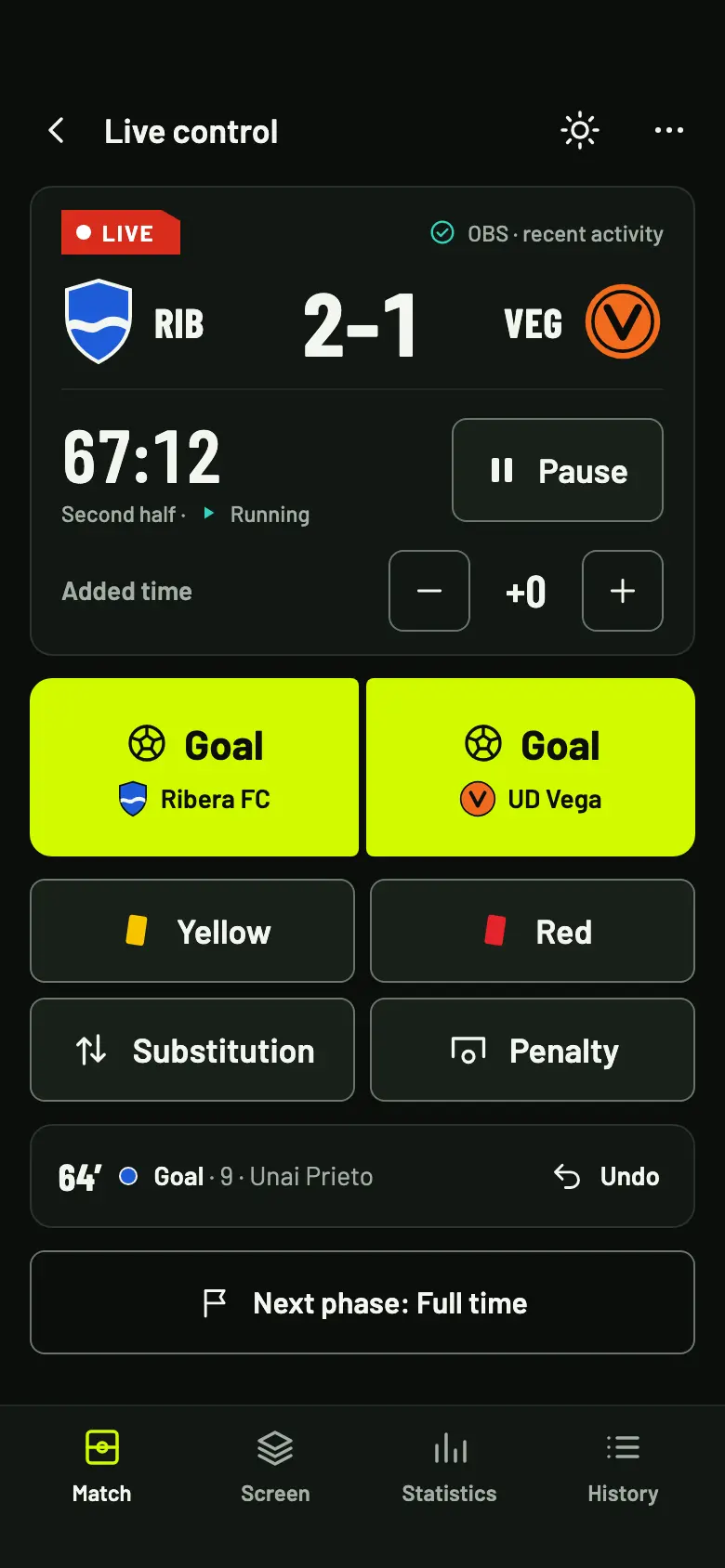
Pick a scene and see how it looks in OBS. These are the graphics your fans see, with sample data from Ribera FC and UD Vega.
Pre-match · Match card
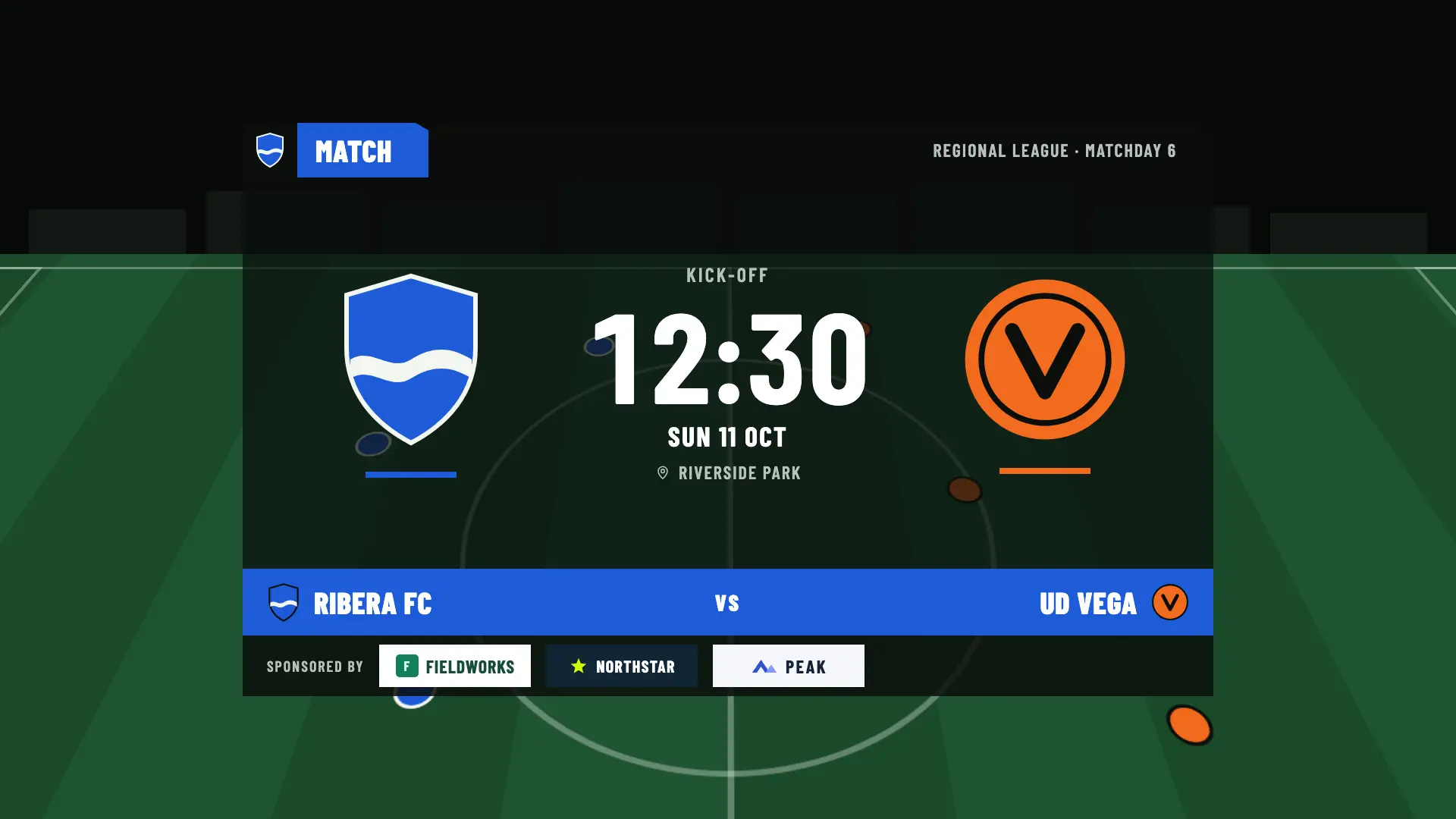
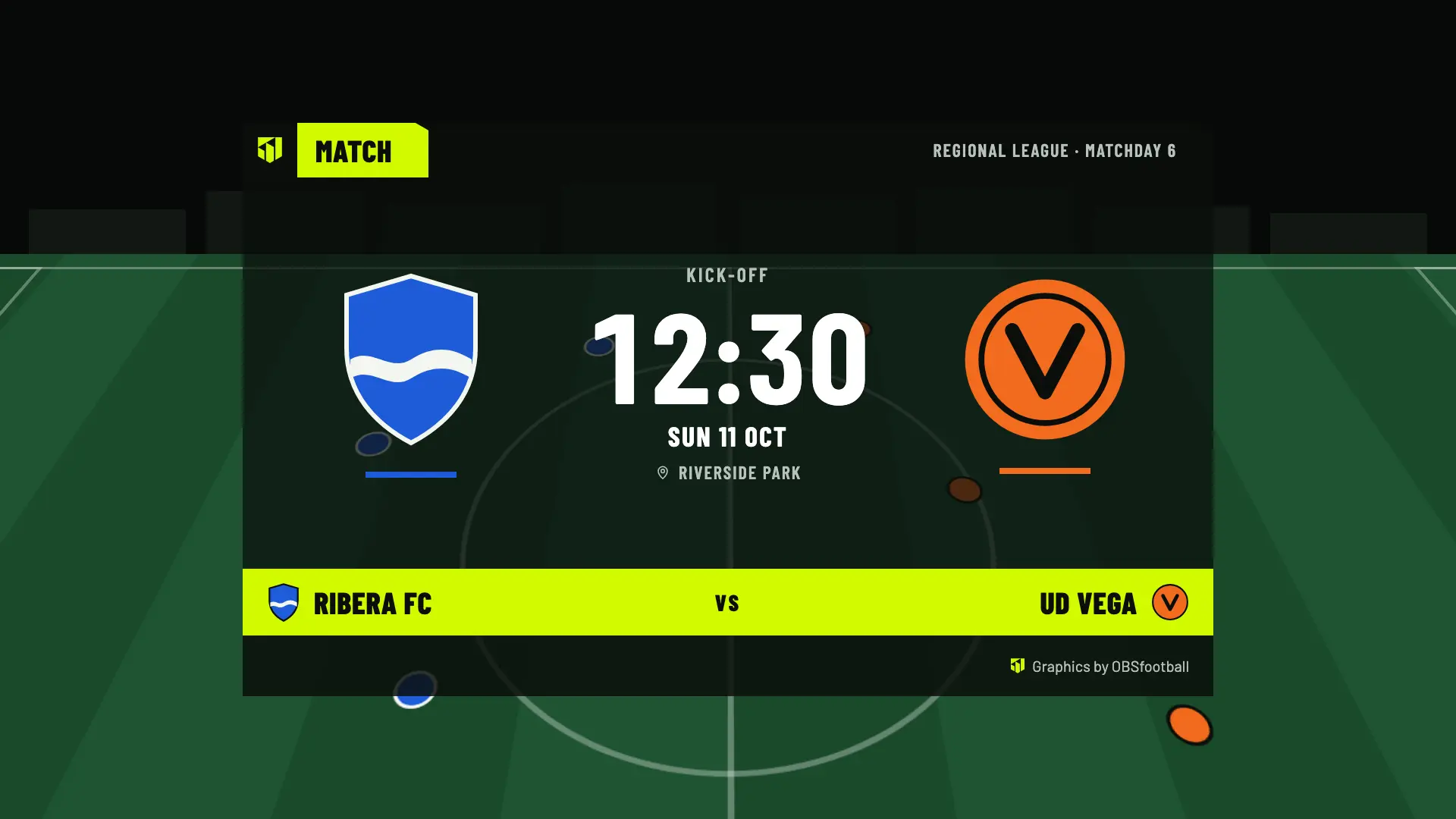
The match card, with the competition, the matchday, the time and the venue.
In the pre-match, before kick-off. It rotates with the line-ups every 15 s, or you pin the one you want from your phone.
Sponsors at the bottom of the screen appear from Match Pass.
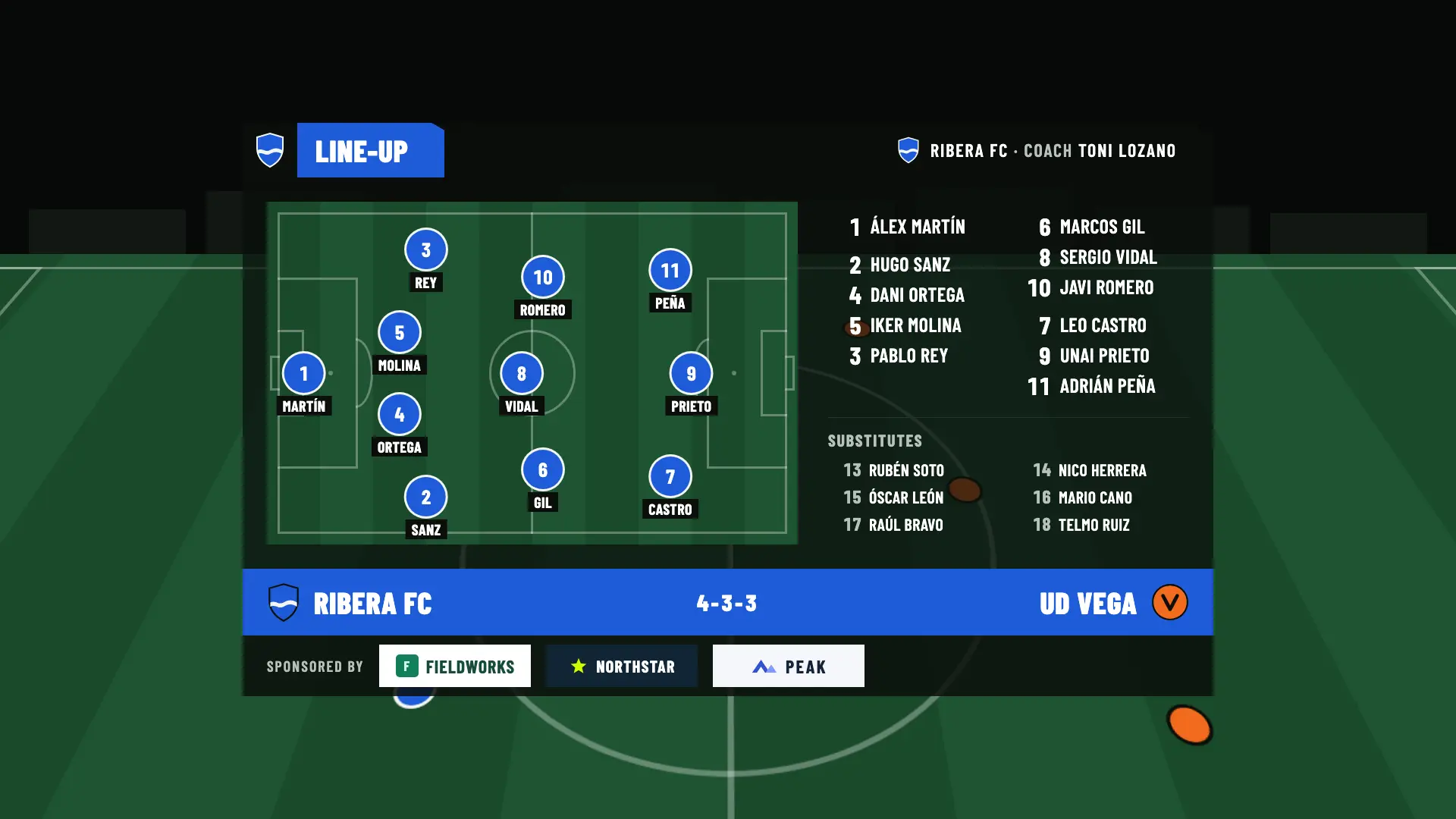
Pre-match · Line-up
One team’s line-up: the starting eleven on the pitch with their formation, the substitutes and the coach.
In the pre-match. Each team’s line-up rotates with the match card every 15 s, or you pin the one you want from your phone.
Without a full starting eleven placed on the pitch, it appears as a list. Sponsors at the bottom, from Match Pass.
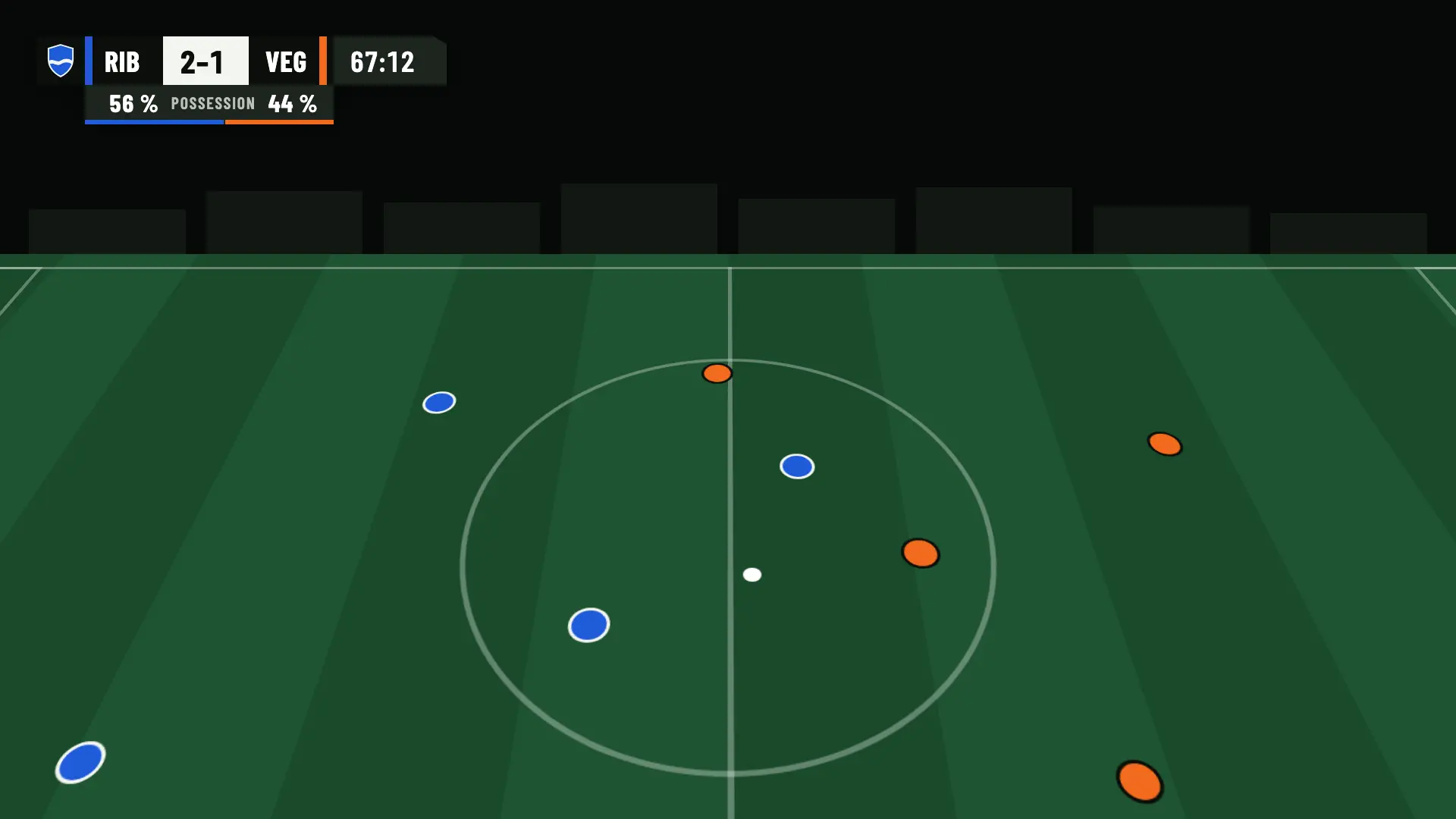
In play · Scoreboard and strip
The scoreboard at the top left, with each team’s color bar and abbreviation, the score and the clock. Below it, the statistics strip.
All through play, in both halves and in extra time. The strip shows one statistic for 15 s every 2 minutes.
The statistics strip is for Pro and Studio; the scoreboard appears on every plan.
In play · Goal
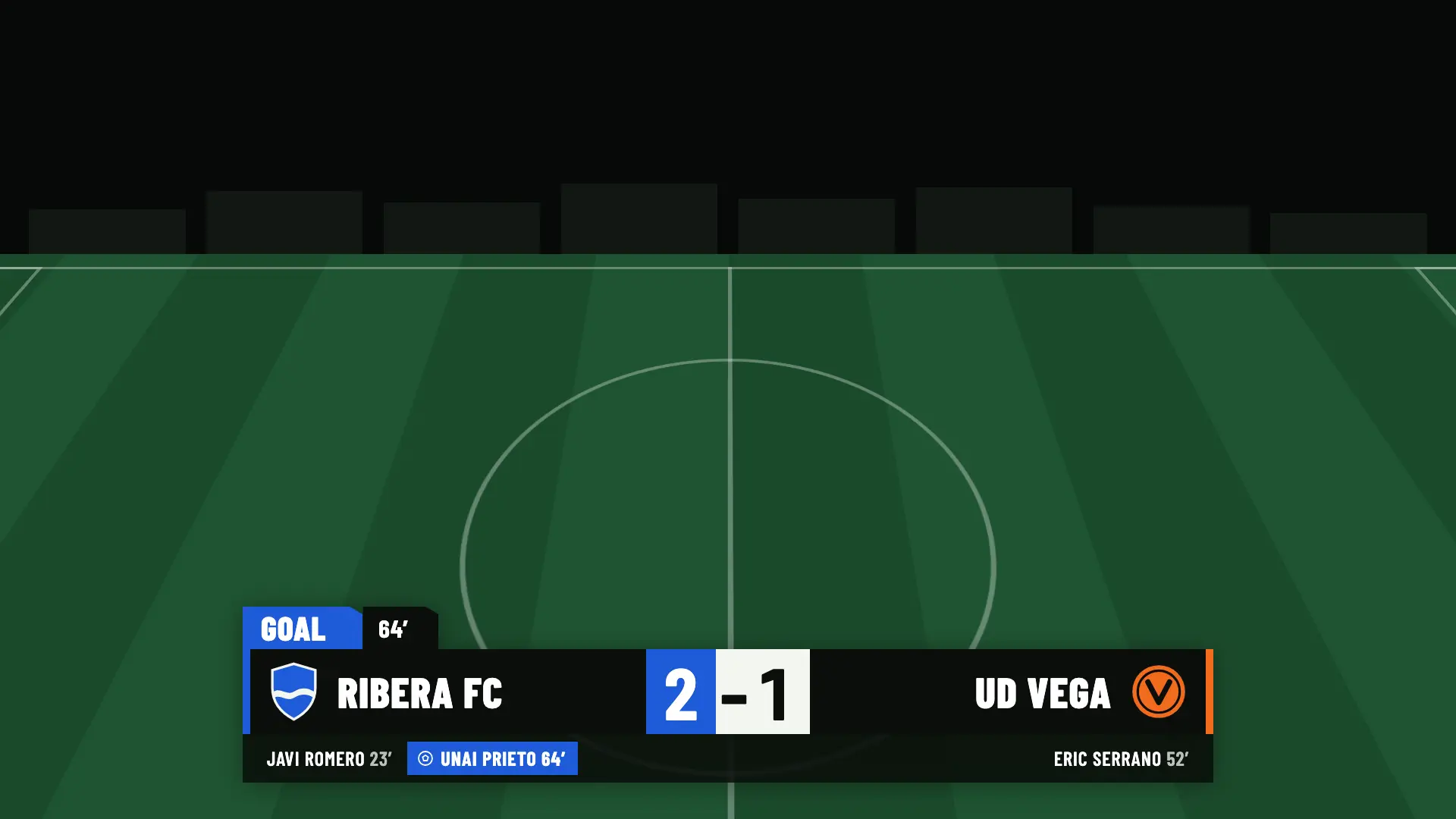
The goal lower third, big and at the bottom: the scorer, the minute and the score.
As soon as you choose the scorer on your phone. It stays on screen for 10 seconds.
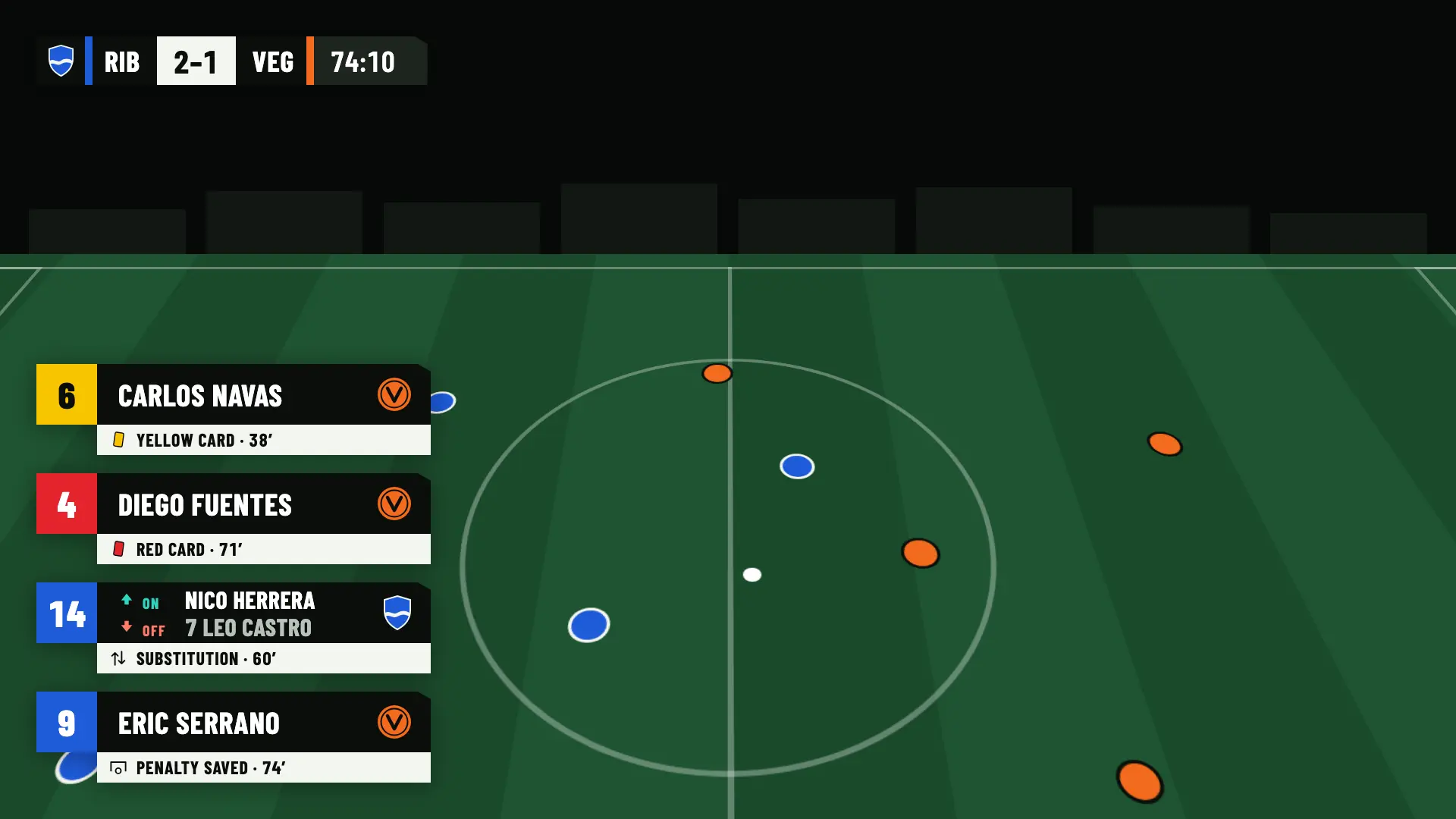
In play · Cards and substitutions
Lower thirds for a yellow card, a red card, a substitution and a saved or missed penalty, with the player and the minute.
When you record the event on your phone. Each lower third stays on screen for 10 seconds.
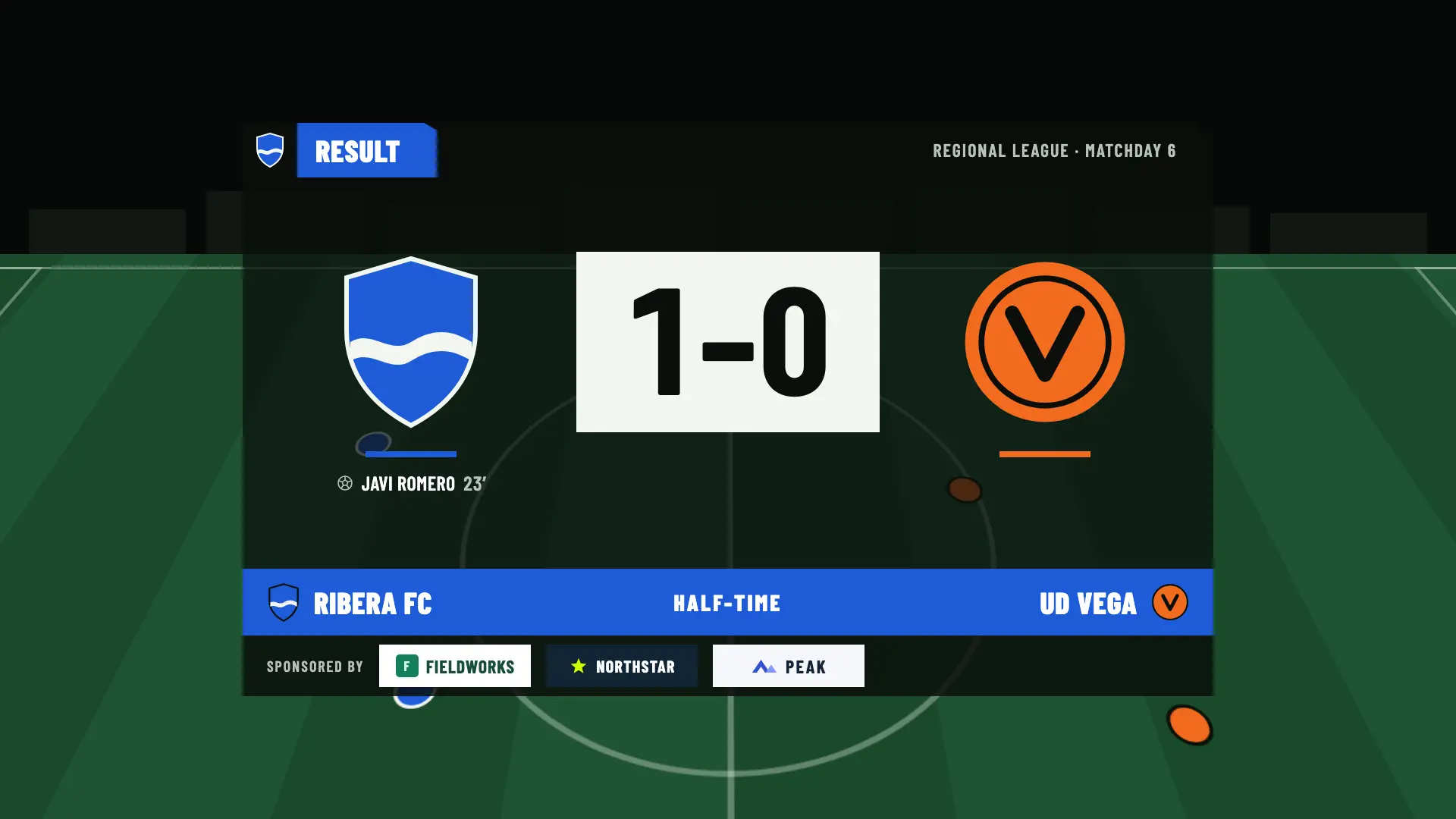
Half-time · Result
The half-time score, with each team’s scorers.
At half-time. On your phone you choose which panel is shown: the result or, with Pro and Studio, the statistics.
Half-time statistics are for Pro and Studio; sponsors at the bottom, from Match Pass.
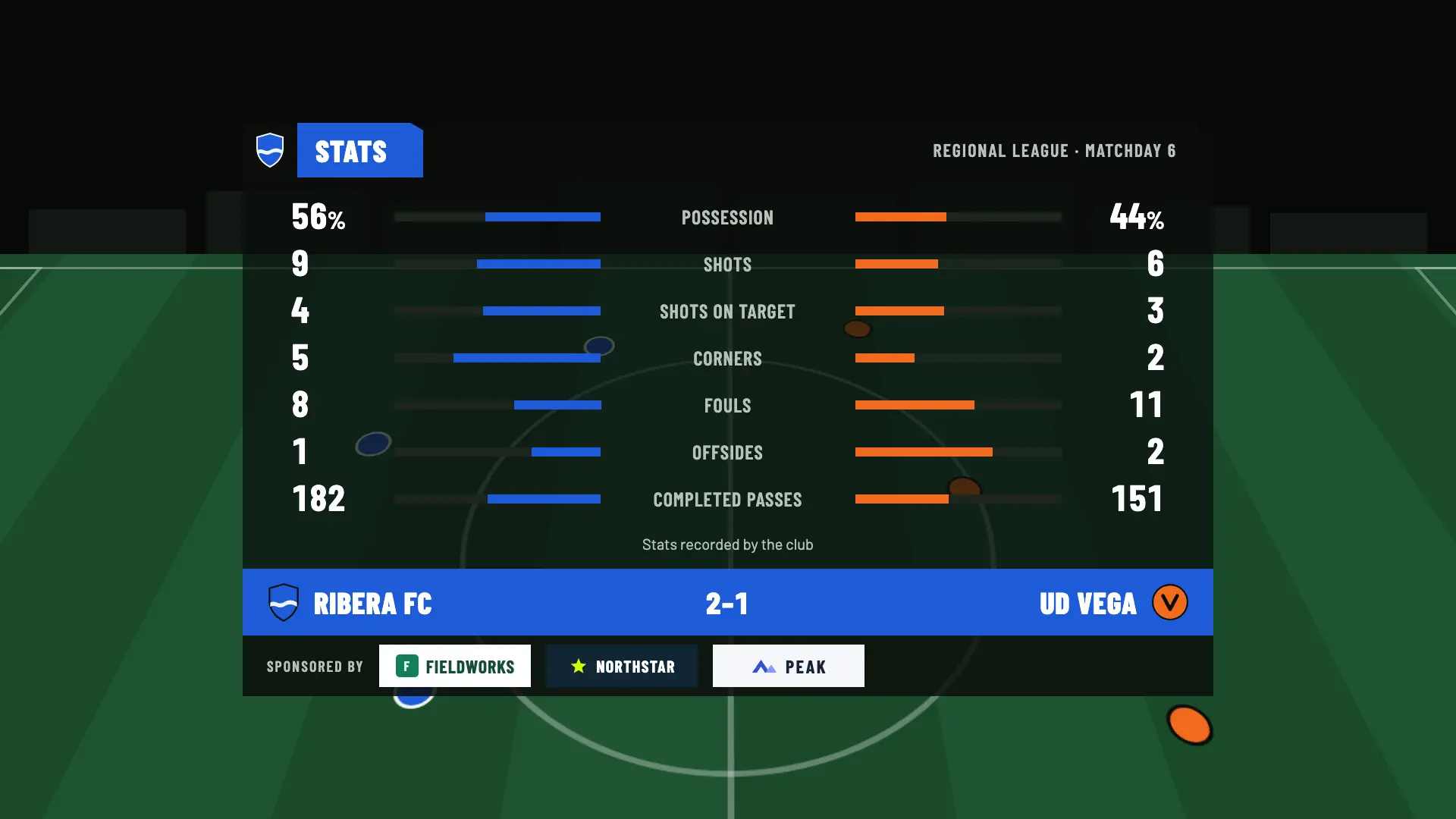
Half-time and full-time · Statistics
A panel with one row for each statistic you have recorded: each team’s figure, its name and a bar in each team’s color.
At half-time and at full time, when you choose it on your phone.
Free and Match Pass don’t include live statistics.
Full-time · Result
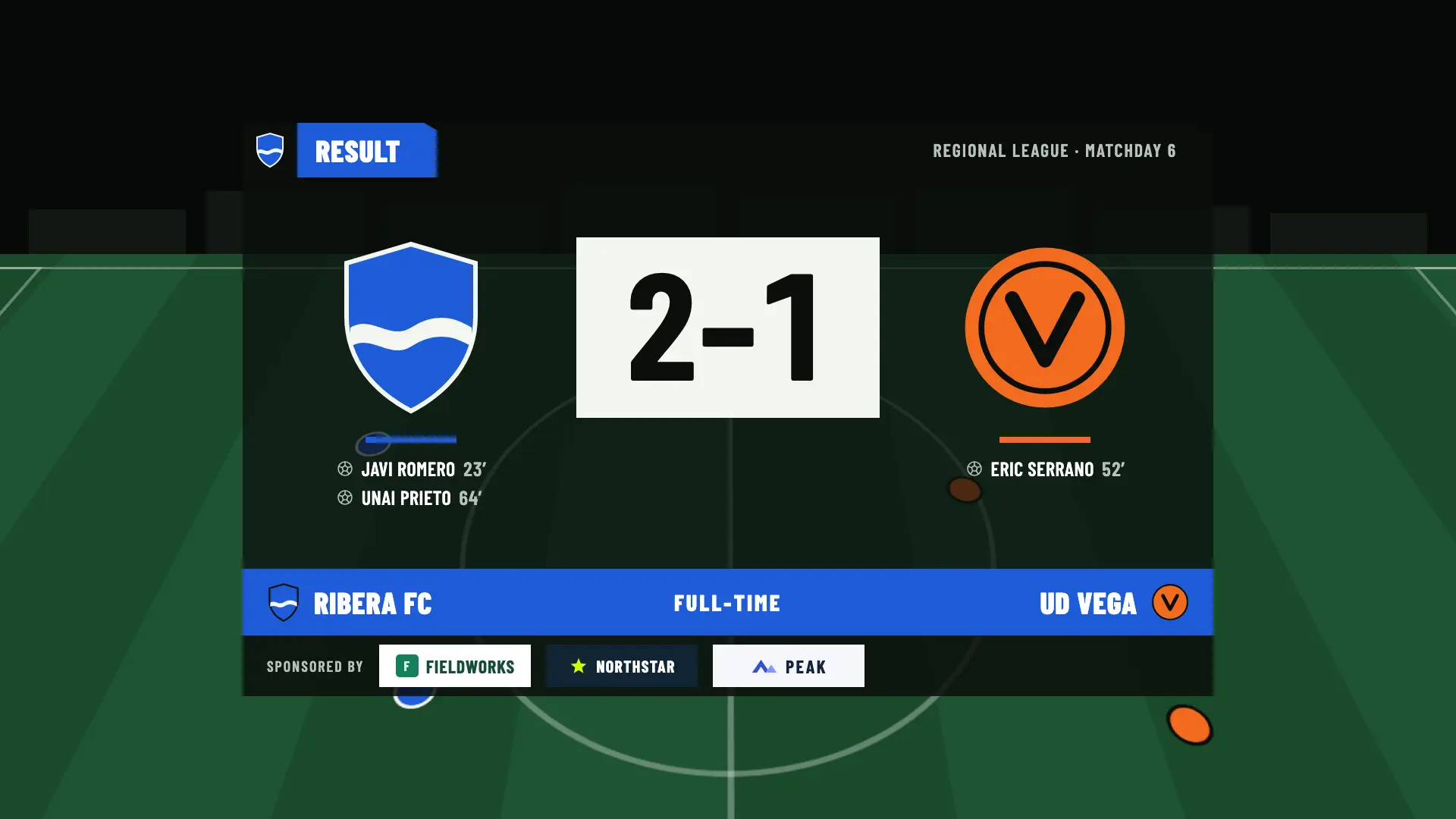
The final result with the scorers. If there was extra time or a shoot-out, the panel says so in one line.
When the match ends. You choose on your phone which panel is shown.
Statistics, from Pro. Provisional standings, the season record and upcoming matches come with Studio.
Shoot-out · Winner
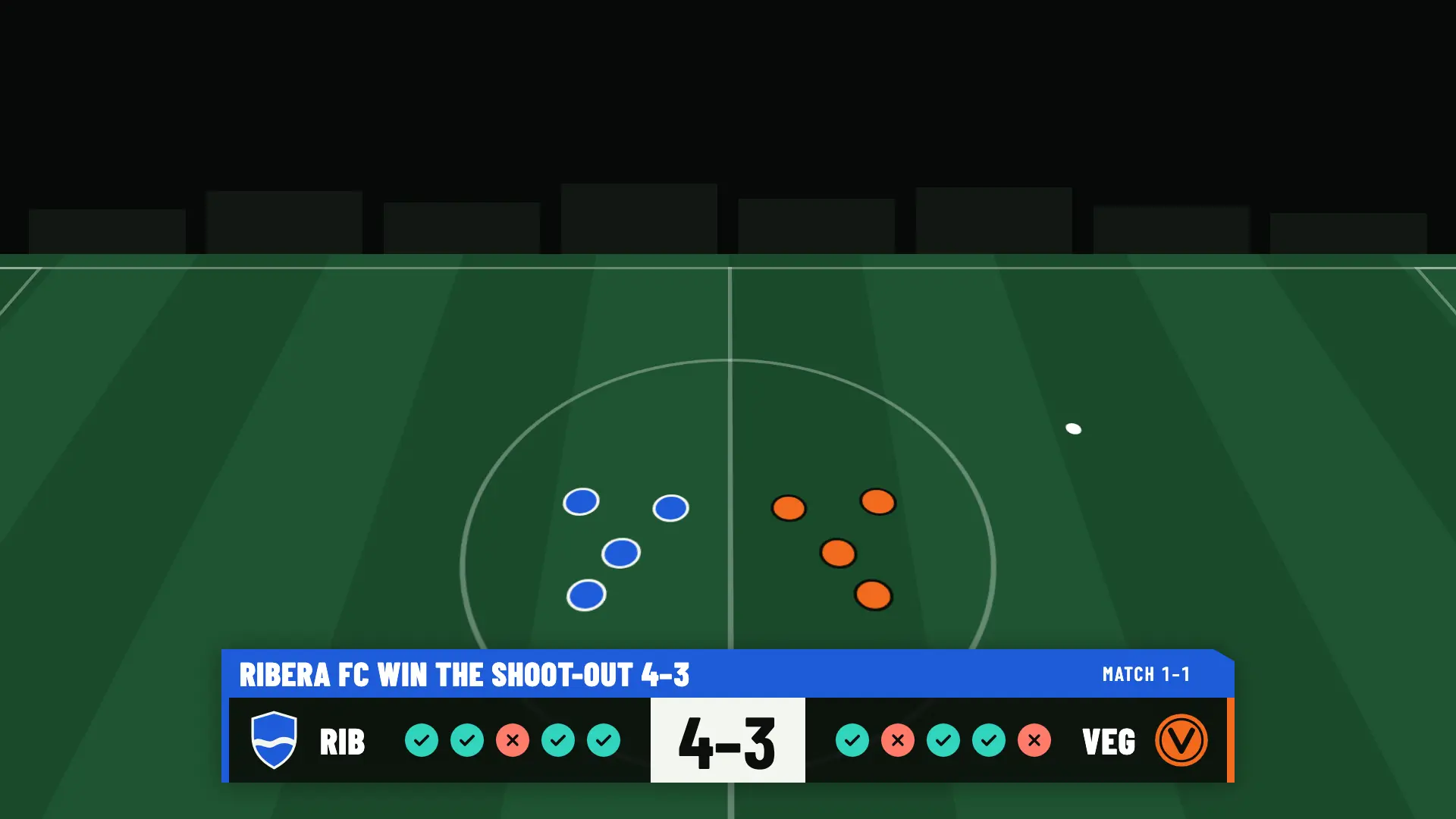
The penalty shoot-out panel: five rounds, sudden death if they’re still tied, and the winner at the end.
If the match is decided from the penalty spot, for as long as the shoot-out lasts.
The graphics are a web page that you add to OBS as a browser source. There is nothing to install on the broadcast computer.
In OBS, go to Sources › + › Browser and set its size to 1920 × 1080. It’s the transparent canvas the graphics appear on.
Every match has its own: there isn’t one URL per club. You copy it in the Broadcast step of the match and paste it into the source.
Until then no graphics appear, so you can warm up or do interviews with nothing on top. When you press it, the graphics come on and you run them from your phone.
OBSfootball doesn’t include a camera or video. You provide the picture of the match with your camera, OBS and your channel. The graphics go on top.
On the Free plan, the graphics use the OBSfootball look and your teams’ colors. From Match Pass, they carry your club’s own look.
You set the look once in the club and can change it for a specific match. There are no custom designs: the colors, the typeface, the logo and the hashtag change, not the structure of the graphics.
Someone who tunes in halfway through the match needs to see how it’s going at a glance. That’s why the graphics are few, large and clear.
The graphics live on a transparent canvas with a 48-pixel safe margin that nothing crosses. The large panels, at 1280 × 756, are centered.
Each team has its color bar and its three-letter abbreviation on the scoreboard. You can tell who is who without reading the whole name.
The graphics come in with the brand’s 30° angled cut, like on TV. If the system is set to reduce motion, they come in with a 150 ms fade.
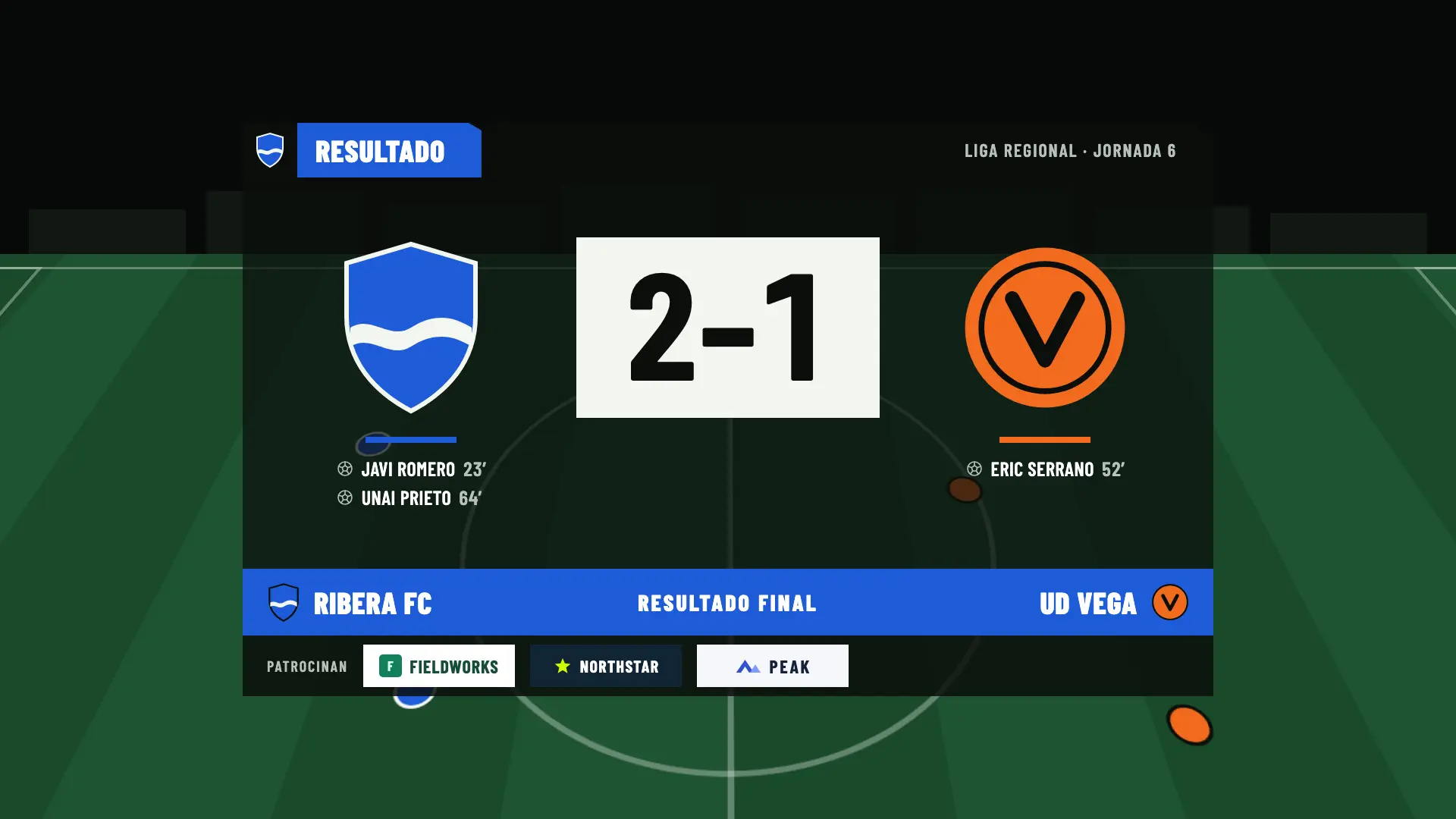
You choose the language of the graphics for each match: English or Spanish. Only the text that appears on screen changes.
Studio adds sponsors during play and the season panels to your broadcast.
A fixed corner and a rotation at the bottom right, or appearances scheduled by minute. They hide during a goal, a card or the shoot-out.
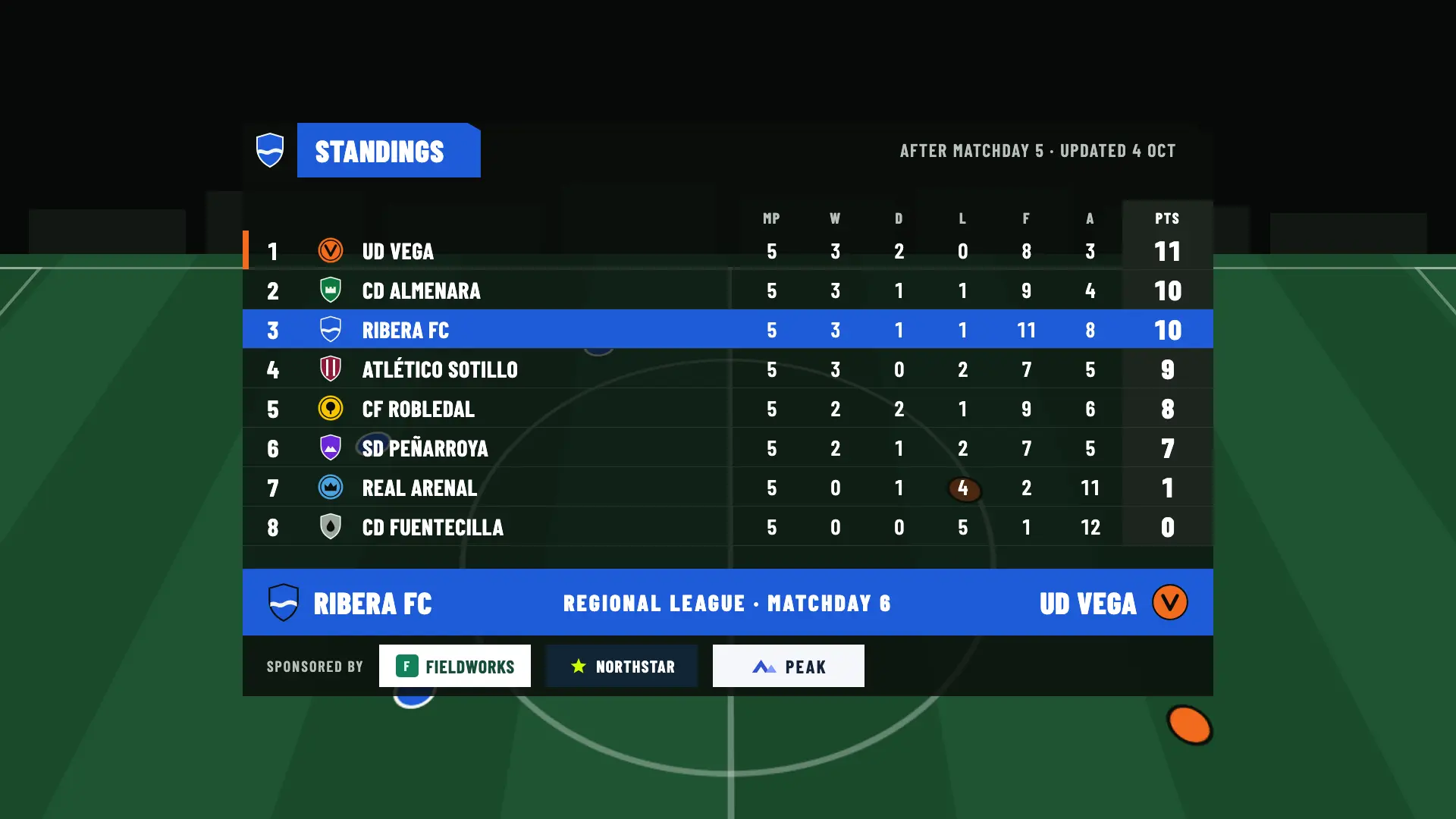
Standings, head to head, recent results, season record and upcoming matches, alongside the match card and the line-ups in the pre-match and at full time.
The essential graphics appear on every plan. Your own look comes with Match Pass, statistics with Pro and the season panels with Studio.
| Graphic | Free | Match Pass €4.90 | Pro €19/month | Studio €39/month |
|---|---|---|---|---|
| Scoreboard and goal, card, substitution and penalty lower thirds | Included | Included | Included | Included |
| Match card, line-ups, half-time and full-time panels | Included | Included | Included | Included |
| Extra time and penalty shoot-out | Included | Included | Included | Included |
| Your own look: accent and text colors, typeface, crest or logo on the scoreboard and hashtag | Not included | Included | Included | Included |
| Sponsors at the bottom of the pre-match, half-time and full-time panels | Not included | Included | Included | Included |
| Statistics strip and panel | Not included | Not included | Included | Included |
| Season panels: standings, head to head, recent results, season record and upcoming matches | Not included | Not included | Not included | Included |
| Sponsors during play | Not included | Not included | Not included | Included |
OBS. The graphics are a web page that you add to OBS as a browser source. OBS is the only program we have documented, so we can’t promise they work in others.
No. Until you press “Start production”, no graphics appear in OBS. While you set up the match you can open the preview, which broadcasts nothing and doesn’t use up a match.
From Match Pass you can change the accent and text colors, the typeface, the logo and the hashtag. Your teams’ colors can be chosen on every plan. The structure of the graphics is the same for everyone: there are no custom designs.
In English or Spanish, your choice for each match. Only the text that appears on screen changes.
No. OBSfootball provides the graphics and the control; you provide the camera, OBS and your channel. On the match page, the “Watch on YouTube”, “Watch on Twitch” or “Watch on Kick” button opens your channel: the video isn’t embedded.
Set up the club and the match without an account and preview the graphics without spending anything. Your first 2 broadcast matches are free.
If you accept, we share your public page visits, clicks to the app and, once permission is confirmed, your registration and purchases with TikTok to measure our ads. TikTok also receives technical browser information.
This is optional and separate from app analytics. We store campaign identifiers for 30 days. You can use OBSfootball without accepting and change your choice here. Privacy policy