Skip to content
For streamers

Football scoreboard and graphics for your OBS, no code needed

If you already stream with OBS, add a browser source and you have a scoreboard, goals with the scorer’s name, line-ups and the result. You run it from your phone while you call the match, or someone else helps you.

Nothing appears on screen until you press Start production. Your first 2 matches are free.

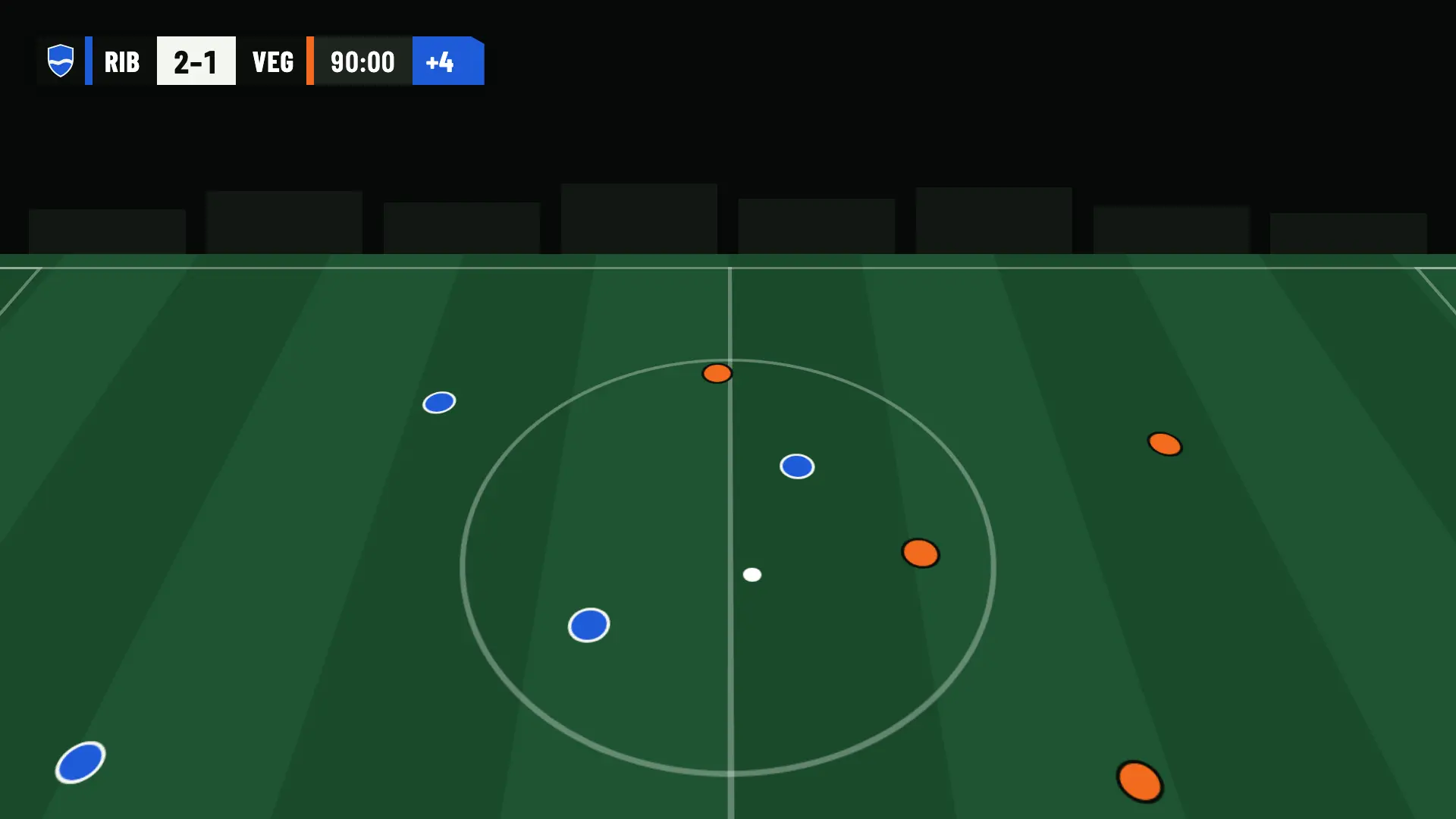
OBS · SCOREBOARD WITH ADDED TIME
Scoreboard in OBS: Ribera FC 2, UD Vega 1, 90:00 with 4 minutes of added time
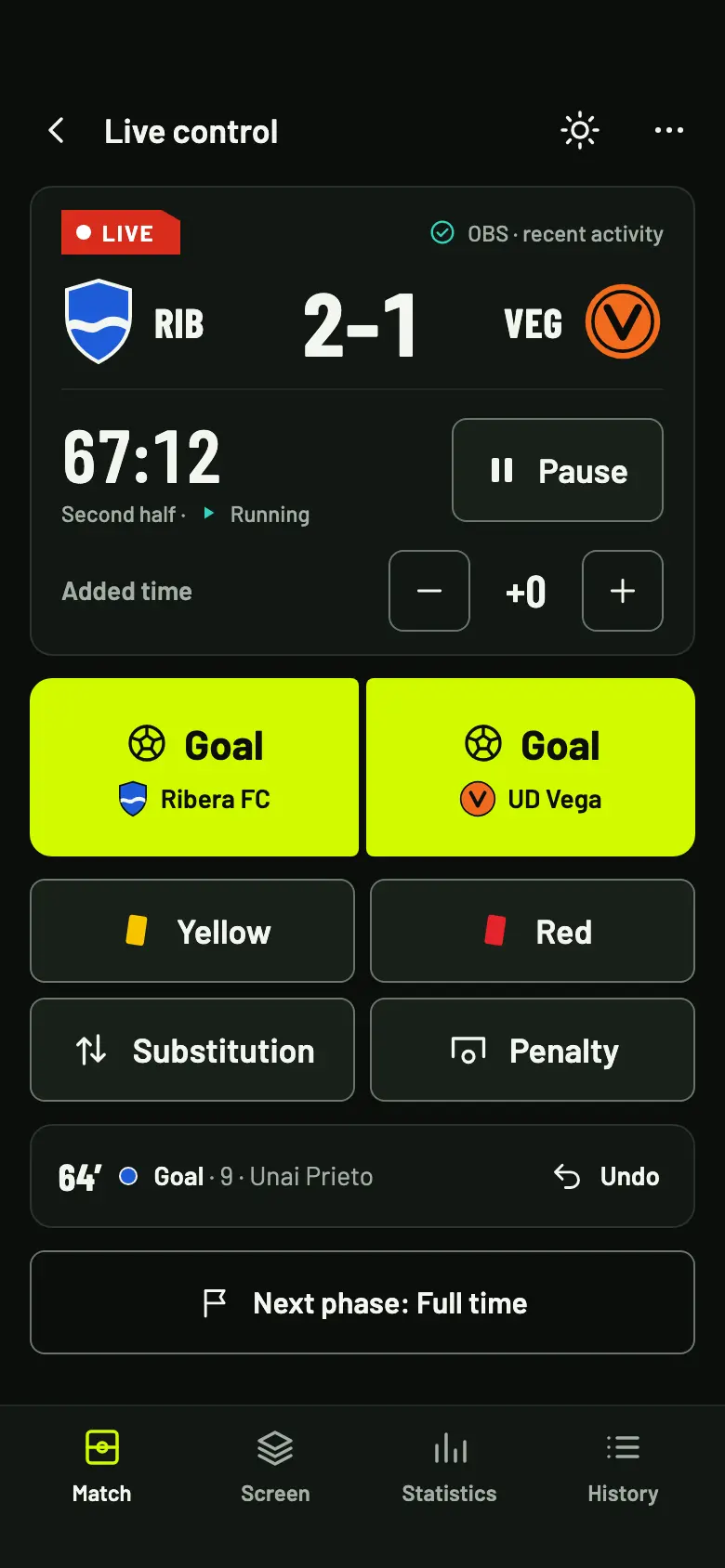
Live control on a phone, with the score, the clock and the goal, card, substitution and penalty buttons
If you already use OBS

One browser source per match

The graphics are one more layer in OBS: you paste the match’s URL and they appear on top of your camera. There is nothing to program or install on the broadcast computer.

  • One browser source per match. In OBS, go to Sources › Browser and paste the match’s private URL. There is one per match, not one per club.
  • 1920 × 1080, with a transparent background. Only the graphics show: your camera stays underneath.
  • In Spanish or English, your choice for each match.
  • Nothing appears before “Start production”. You can do interviews or warm up with no graphics on top.
No scenes to switch by hand

In play, everything runs itself

The graphics change scene with the match, without you touching anything in OBS. You only choose which panel is shown during the breaks.

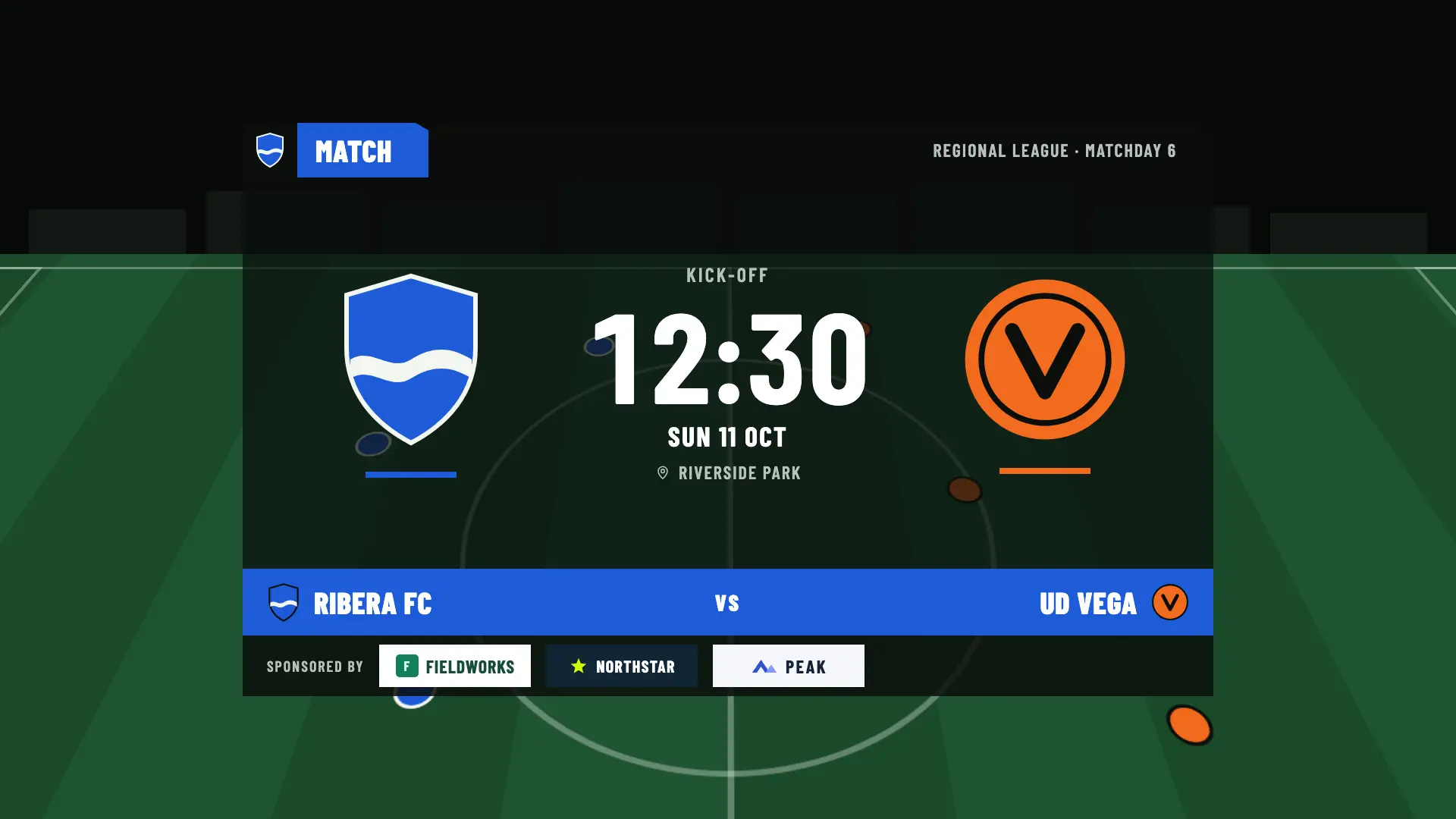
PRE-MATCH · MATCH CARD
Match card on the broadcast: Ribera FC against UD Vega, Regional League · Matchday 6, Sunday, October 11 at 12:30, with three sponsors at the bottom

Pre-match: you pick the panel

The match card and the line-ups rotate on their own every 15 seconds, or you pin the one you want from your phone. With Studio, also standings, head to head, recent results and season record.

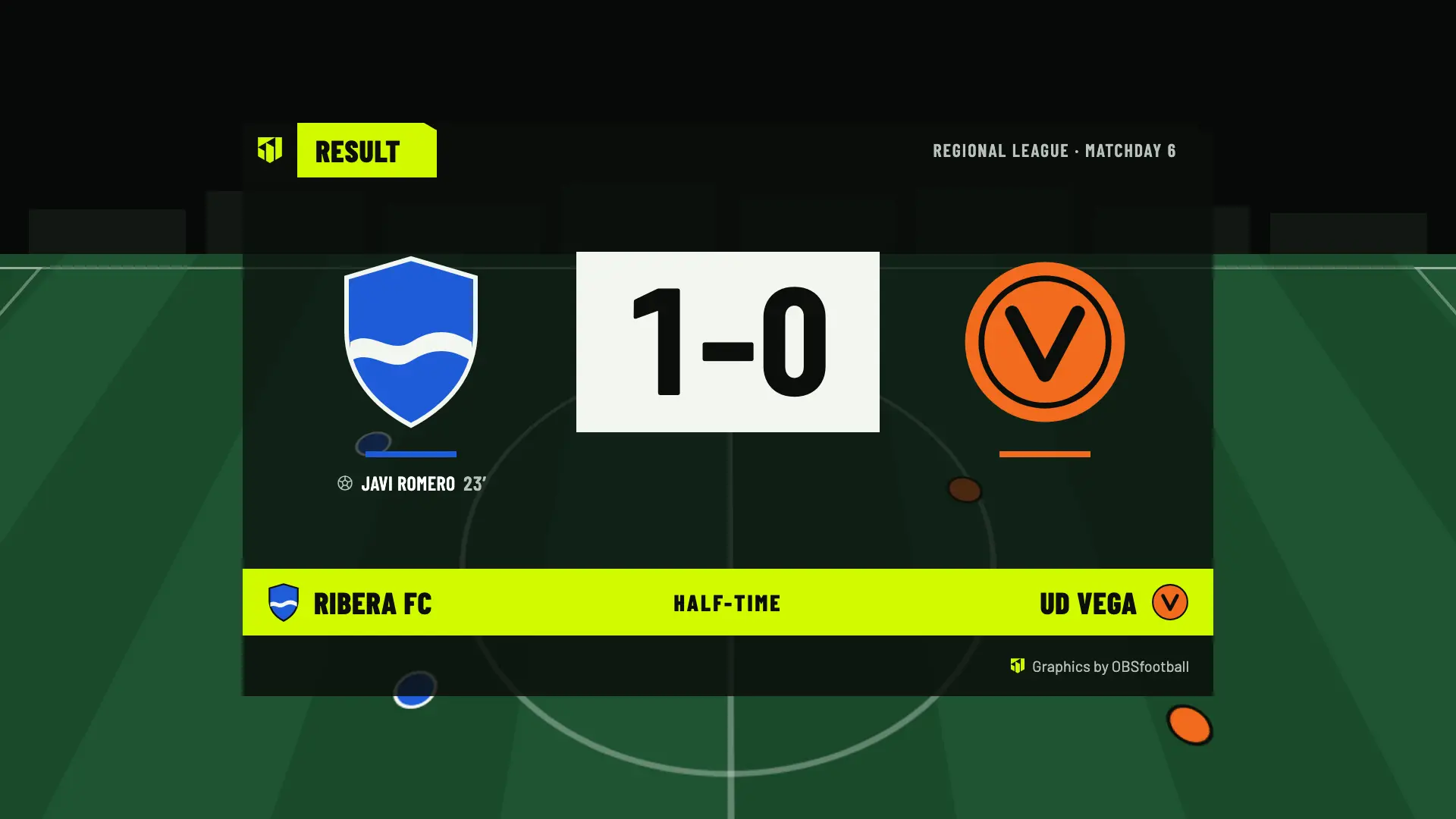
HALF-TIME · RESULT
Half-time panel: Ribera FC 1, UD Vega 0, with Javi Romero’s goal

Half-time and full-time: the same

At half-time the result appears with the scorers and, with Pro and Studio, the statistics. At full-time, the result with the extra time or penalty shoot-out line and, with Studio, the provisional standings and the upcoming matches.

In play, everything runs itself. The scoreboard and the goal, card, substitution and penalty lower thirds appear when you record them, and the lower thirds go away on their own after ten seconds.

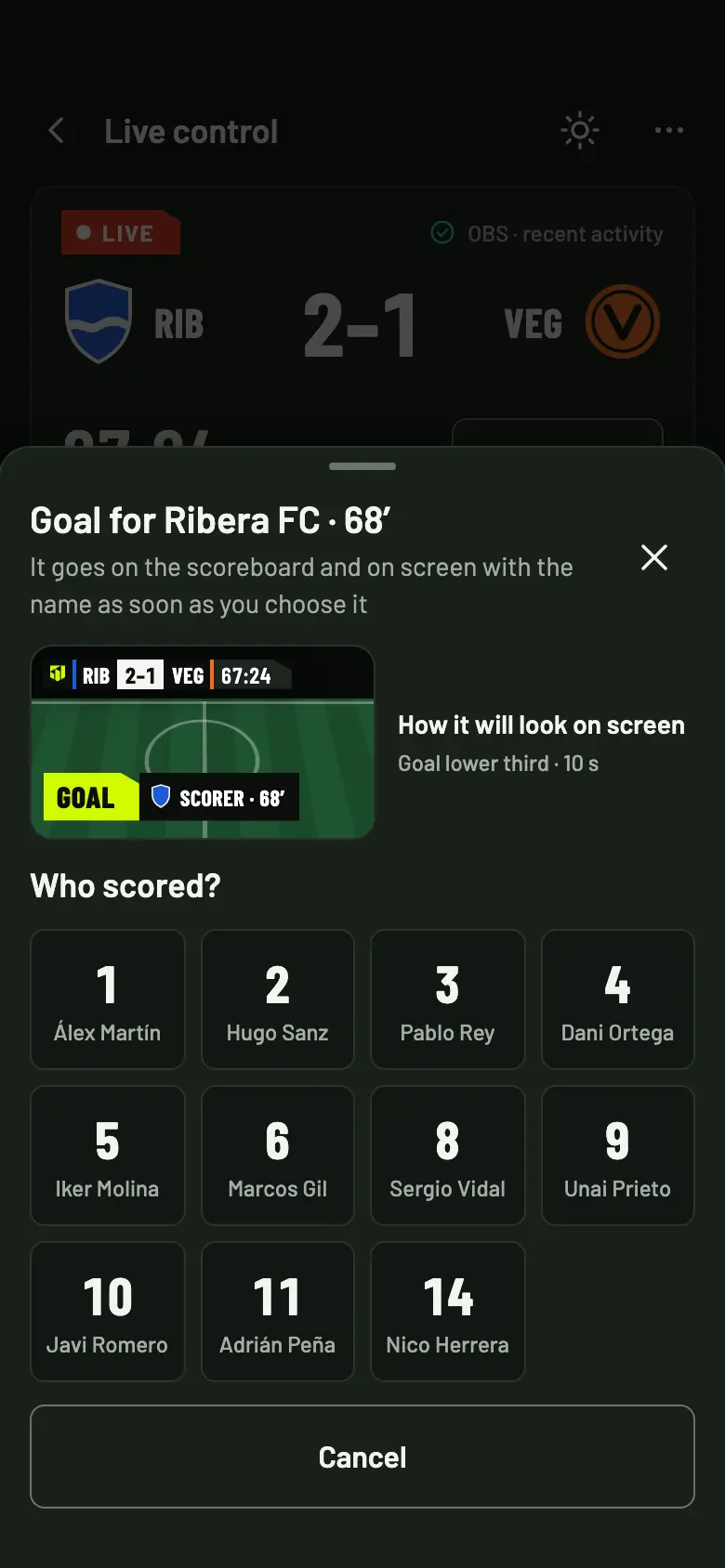
The “Who scored?” sheet with the Ribera FC shirt numbers and the lower third preview
THE “WHO SCORED?” SHEET
Call the match and run it at once

The control fits in one hand

You record from your phone without taking your eyes off the pitch. A goal, a card or a substitution takes two taps, with big buttons.

  • A goal in two taps: you tap Goal and pick the scorer by shirt number or by name. Before you choose, you see how the lower third will look.
  • Everything can be corrected in the history: player, assist, card or result.
  • No signal, you keep recording. Your taps are saved on your phone and sent in order when the connection is back. Don’t reload the page while there is no signal.
  • Nothing to install. It opens in the browser of your phone or tablet, with your account.
  • Or let someone else help. Invite them as an operator: they run the control from their own phone, only see the matches you assign to them and don’t pay.
See live match control
YOUR BRAND · YOUR OWN LOOK
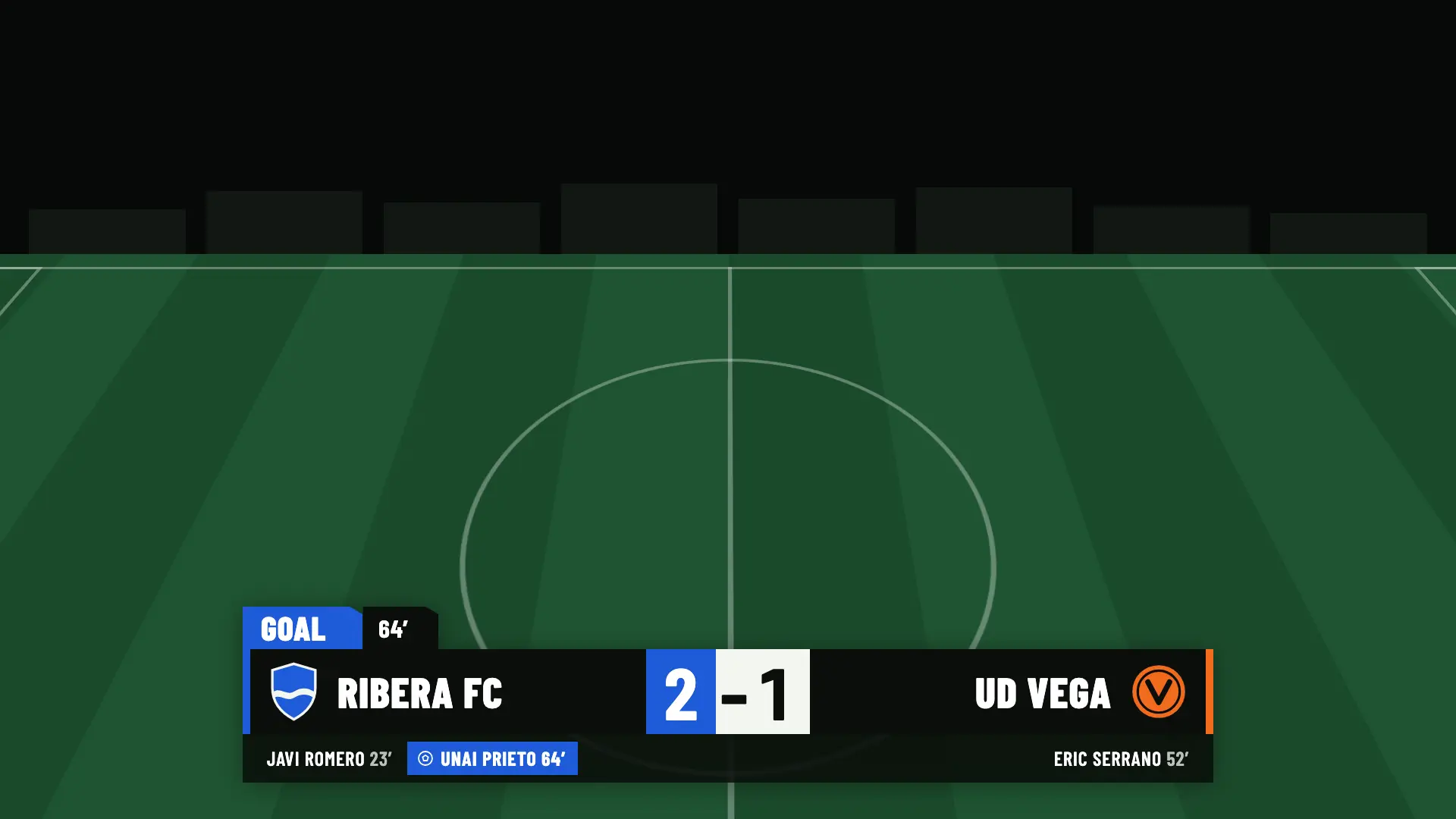
Goal lower third with the club’s own look: blue accent and Ribera FC crest, minute 64, Ribera FC 2, UD Vega 1
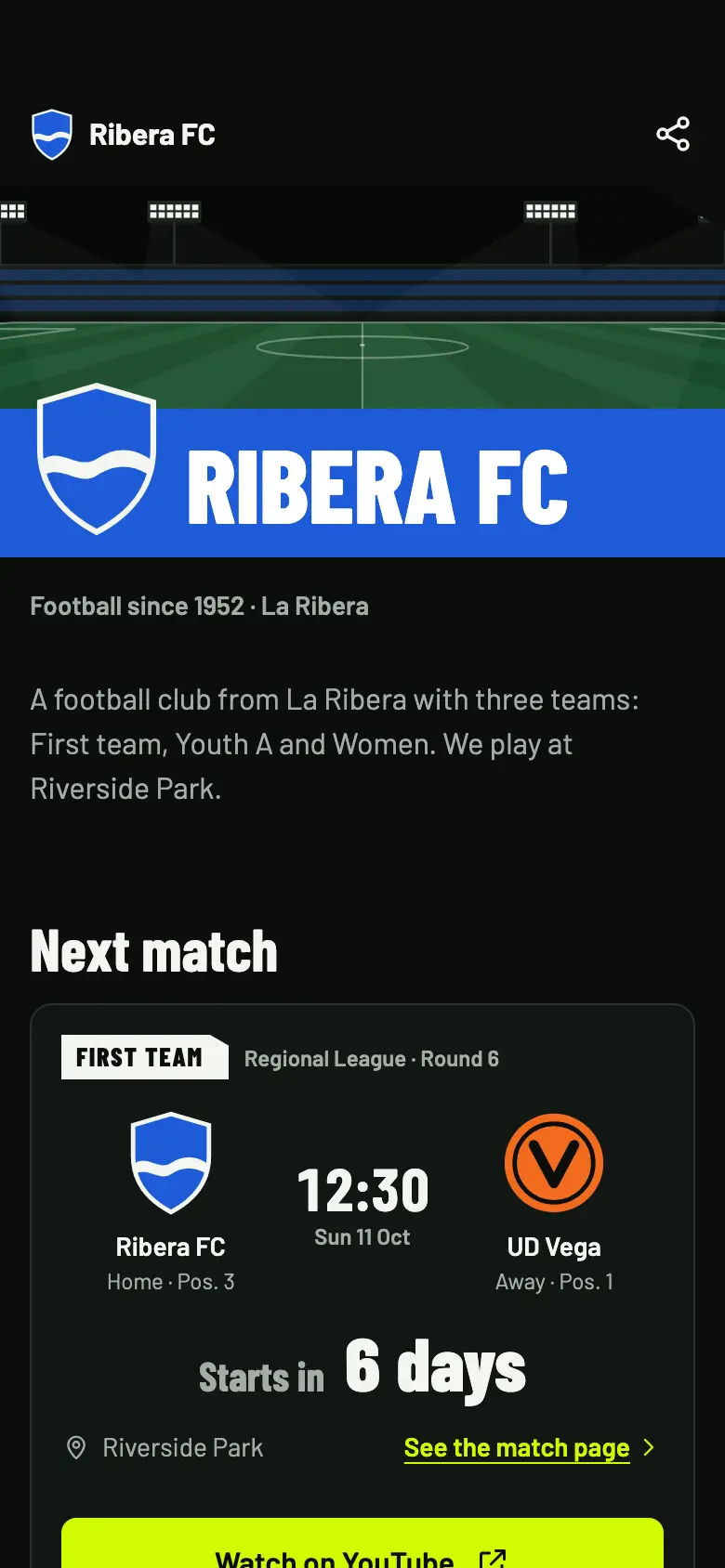
Club page on a phone: next match with the time, the countdown and the Watch on YouTube button
Your channel, your brand

Your brand on screen and your channel on the page

The graphics can carry your look, and the match page sends the people who follow you to your channel.

  • Your own look from Match Pass: accent and text color, typeface, crest or logo on the scoreboard and a hashtag of up to 60 characters.
  • On the Free plan the graphics show your teams’ colors and the OBSfootball symbol. There are no custom designs: only colors, typeface, logo and hashtag.
  • Your channel on the match page. The “Watch on YouTube”, “Watch on Twitch” or “Watch on Kick” button opens your channel, with no embedded video.
  • A page that refreshes itself every 20 seconds while live, with countdown, score, line-ups, statistics and timeline.
What’s included and what isn’t

What we provide and what you bring

OBSfootball is a layer of graphics and control. The video, the broadcast and your channel stay yours.

What OBSfootball provides

  • Scoreboard, lower thirds, line-ups and pre-match, half-time and full-time panels.
  • Live control from your phone or tablet.
  • The public club page and a page for every match.
  • Social media images depending on the plan and, with Studio, the sponsor report.

What you bring

  • OBS Studio, your camera and your connection.
  • Your YouTube, Twitch or Kick channel.
  • Your streaming settings: we don’t touch them.
  • The broadcast and its images: they are the responsibility of whoever makes them, not of OBSfootball.

We don’t host the video or touch your streaming settings. The app has no camera and no video. It’s built and documented for OBS Studio; we can’t promise it works in other programs.

Streamer questions

What people ask us in the booth

Does it work with programs other than OBS?

It’s built and documented for OBS Studio. We can’t promise it works in other programs.

Does it add delay to my stream?

The graphics are one more layer in OBS and go out inside your stream. OBSfootball doesn’t host or touch your video, so your stream’s delay still depends on your setup and your platform. That said, the control and the OBS source talk to each other over the internet: you need a connection at the pitch.

What resolution does it use?

1920 × 1080. The canvas is transparent: in OBS you set the browser source to that resolution. The panels take up 1280 × 756 inside the canvas.

Can I use my own brand?

Yes, from Match Pass: accent and text color, typeface (Default, System, Arial or Poppins), crest or logo on the scoreboard and a hashtag of up to 60 characters. On the Free plan, the graphics show your teams’ colors and the OBSfootball symbol.

How much does it cost?

You get 2 free welcome matches. After that, Match Pass costs €4.90 per match (24 hours from when you start), Pro €19/month with unlimited matches and Studio €39/month with 3 matches at the same time. Prices include taxes. The plan belongs to the club you create, and whoever helps you with the control doesn’t pay.

What you’ll use the most

Your next stream, with a TV-style scoreboard

Set up your first match without an account. When you save it, you sign in with Google or Twitch, and your first 2 broadcast matches are free.