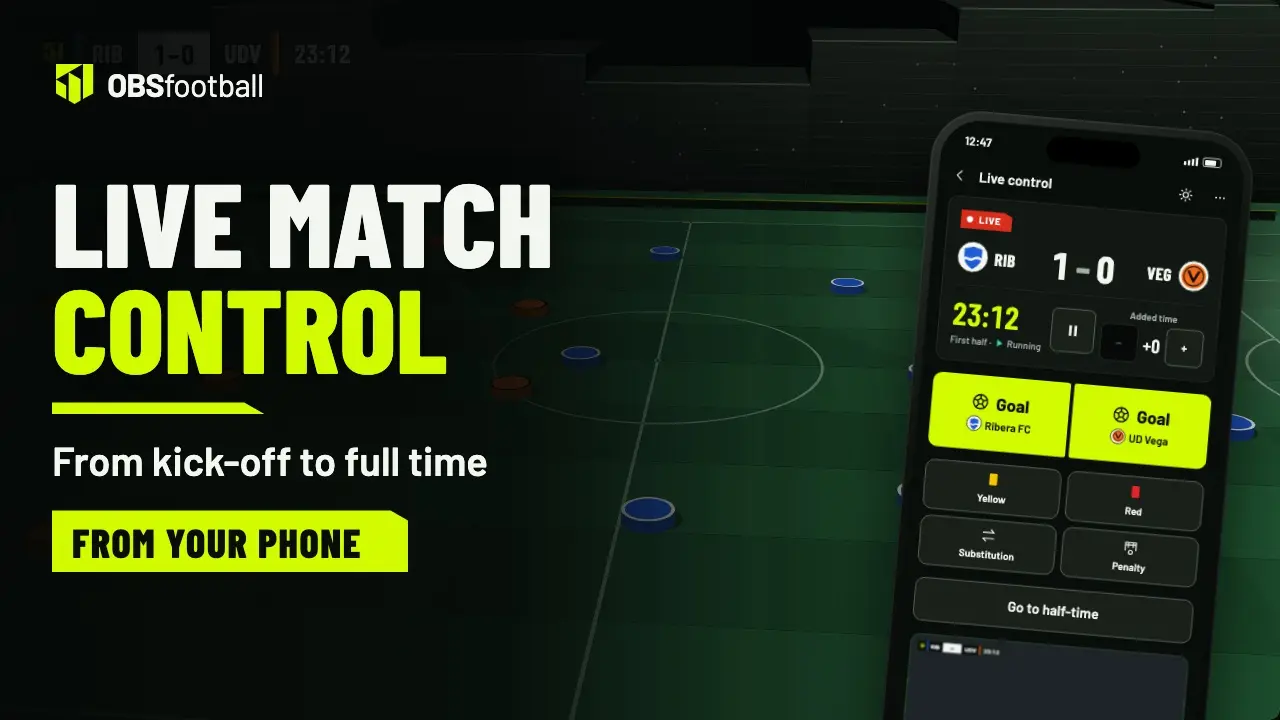
OBS graphics
What you tap on your phone, turned into the scoreboard, lower thirds and panels.
A goal with its scorer, cards, substitutions, penalties and the clock. You tap on your phone and it appears on your OBS broadcast right away, without touching the computer.
Works in the browser of your phone or tablet. There is nothing to install.
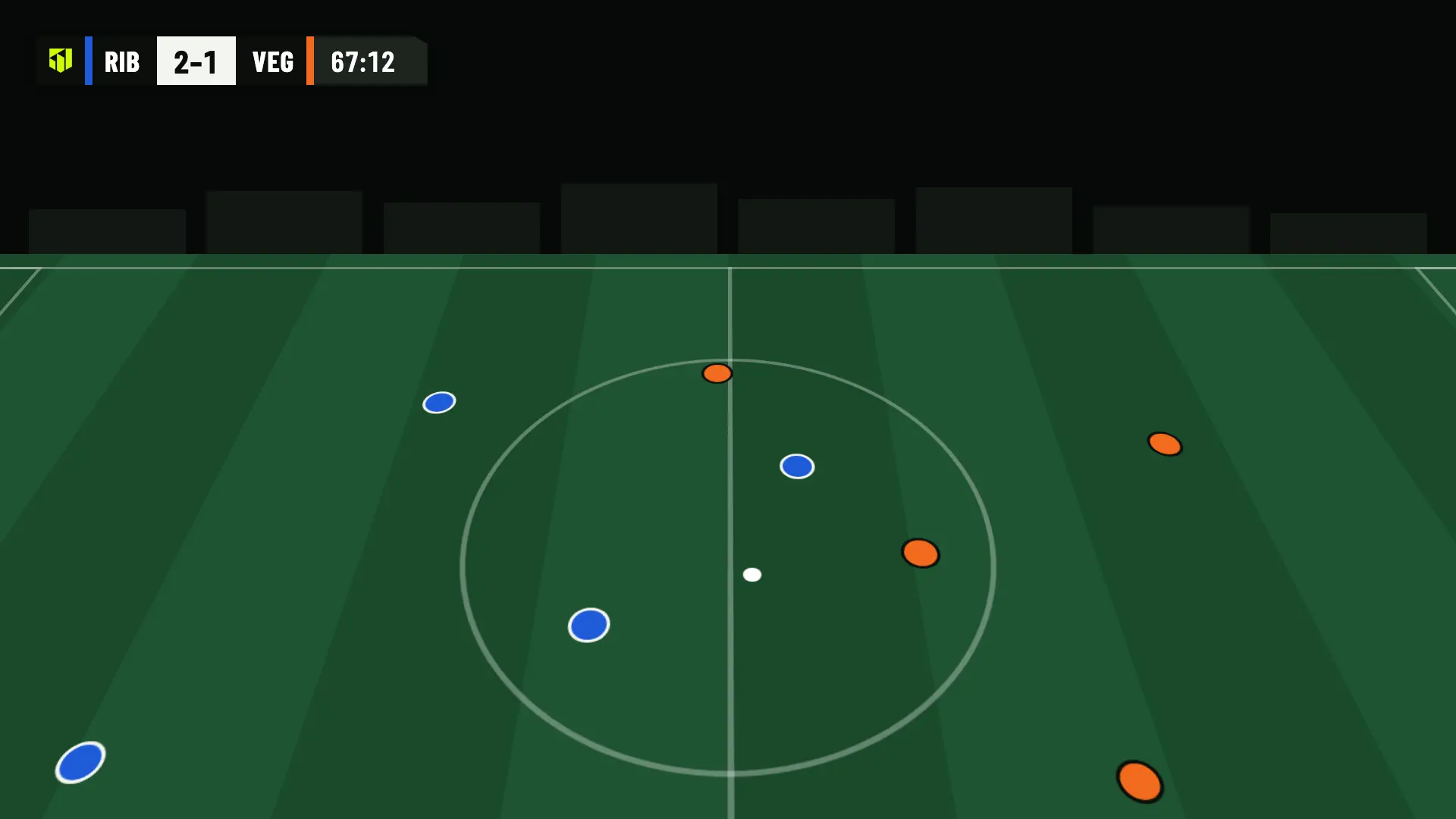
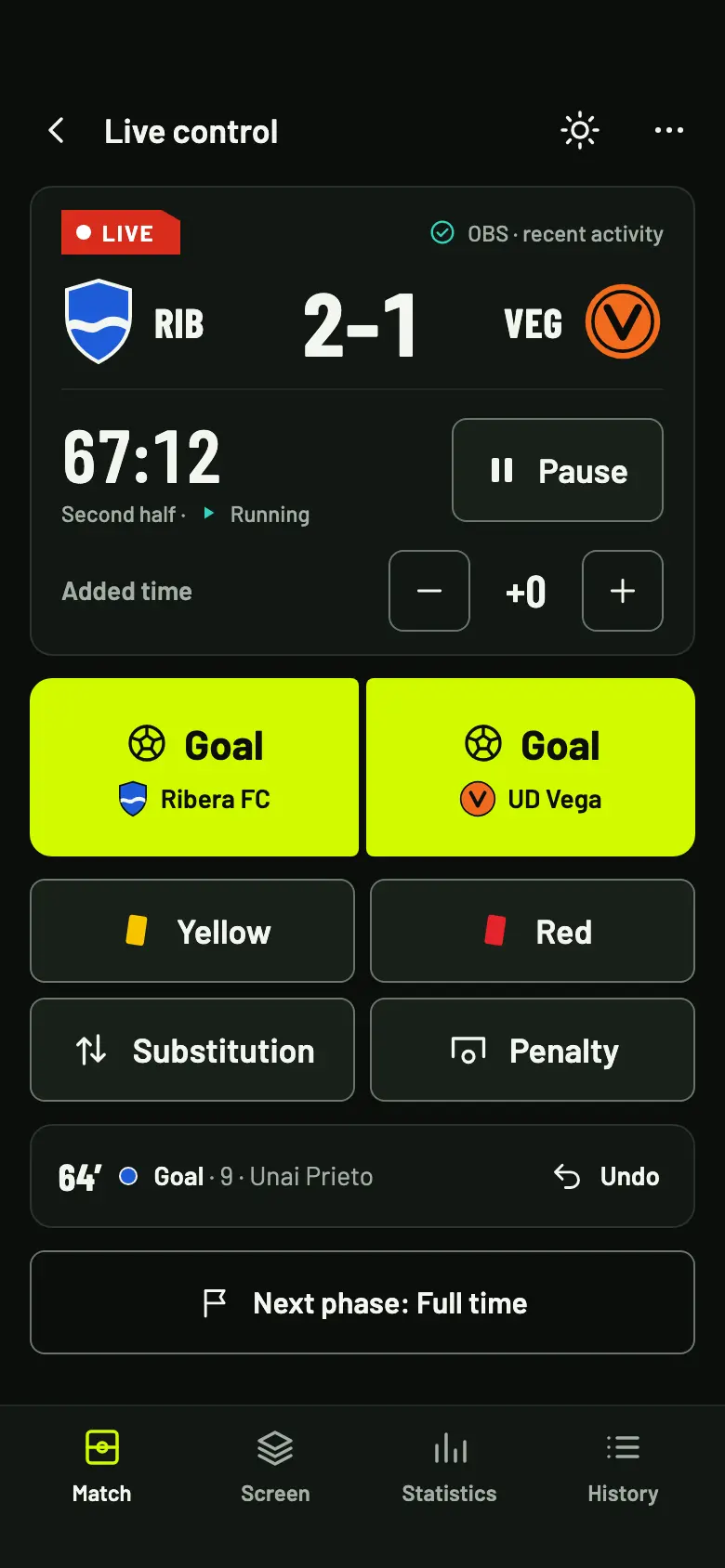
Every action has its own big button and its own lower third in OBS. No hidden menus while the match is on.
You pick the scorer by shirt number or by name and, if you want, the assist. The lower third shows their name.
All plansScored, saved or missed, and who took it. Saved and missed penalties get a lower third too.
All plansYellow or red, with the player and the minute, and a lower third for ten seconds.
All plansWho comes on and who goes off. The lower third shows both names in the team’s colors.
All plansPause, resume, set the exact minute and add 0 to 99 minutes of added time.
All plansStart, half-time, second half, extra time and shoot-out. Each phase sets the clock where it belongs.
All plansEvery kick, with sudden death and the winner on screen at the end.
All plansShots, shots on target, corners, fouls, offsides, passes and who has the ball.
Available with Pro and StudioChange the player, the assist or the result of a penalty, or delete an event. The score adjusts by itself.
All plansFrom kick-off to the final whistle, on the app’s own screens: the clock and added time, goals, cards, substitutions and penalties, half-time, extra time and the shoot-out, and what to do if you lose signal.
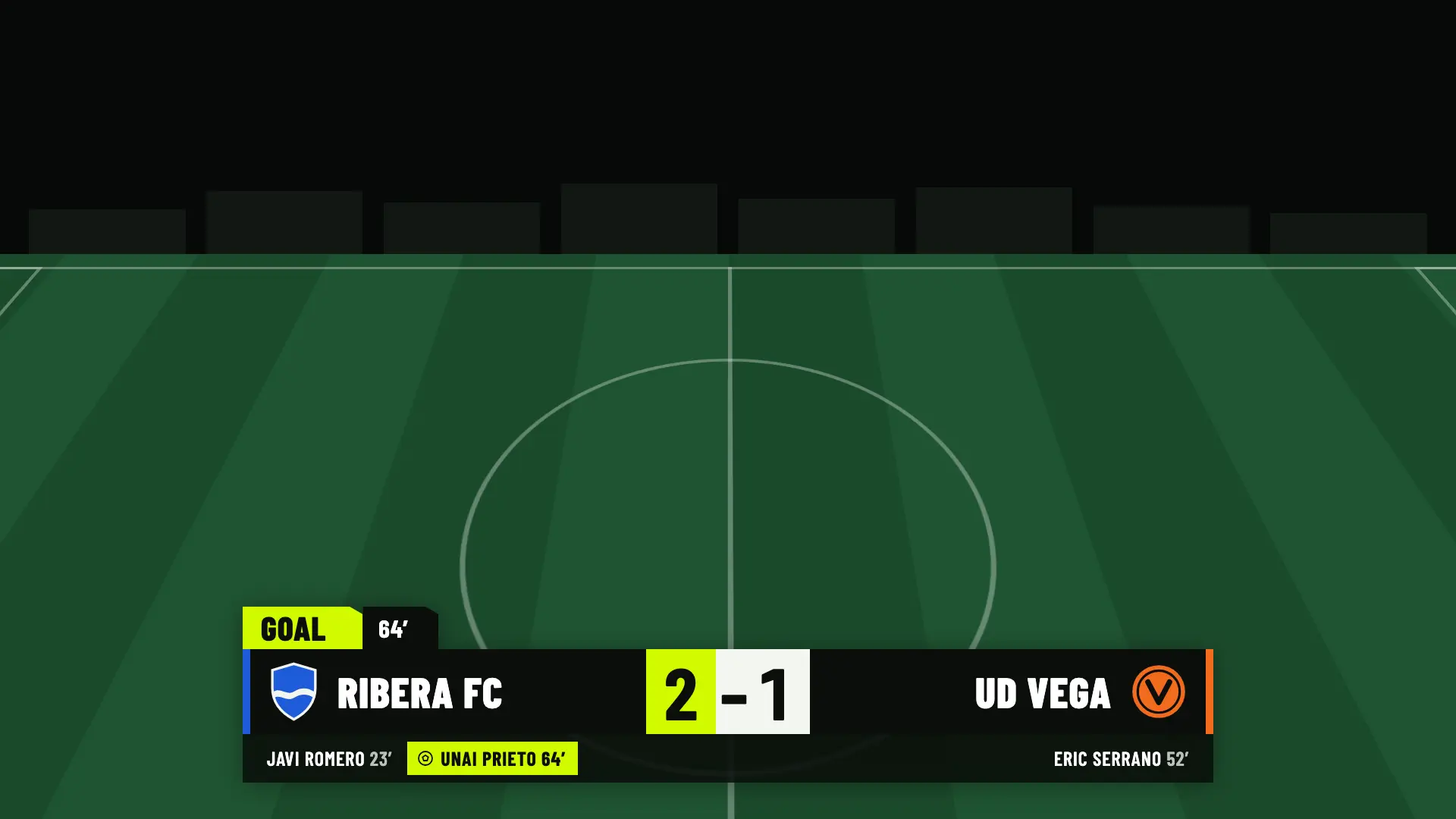
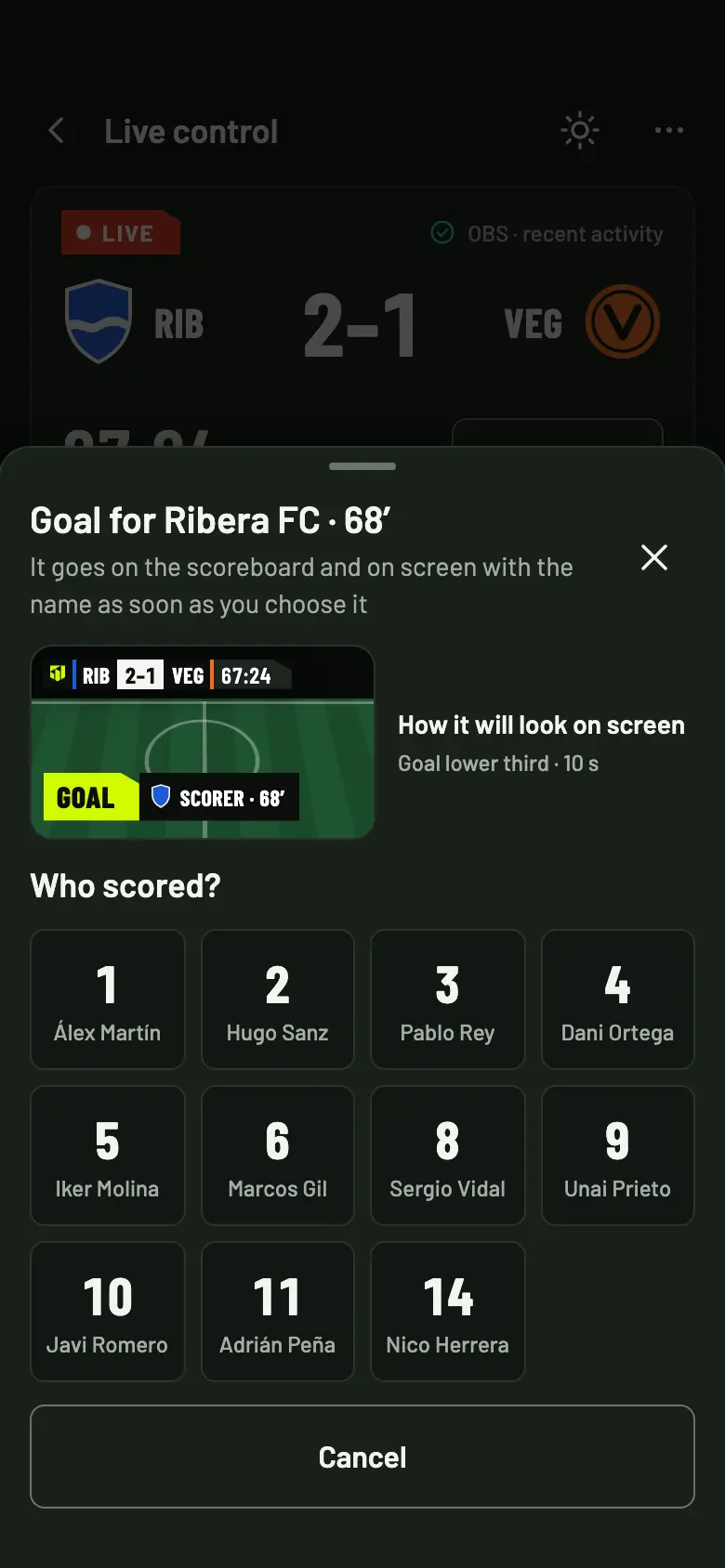
You tap Goal on the team that scored and choose the scorer. The score goes up and the lower third appears in OBS with their name and the minute. You see how it will look before you choose.
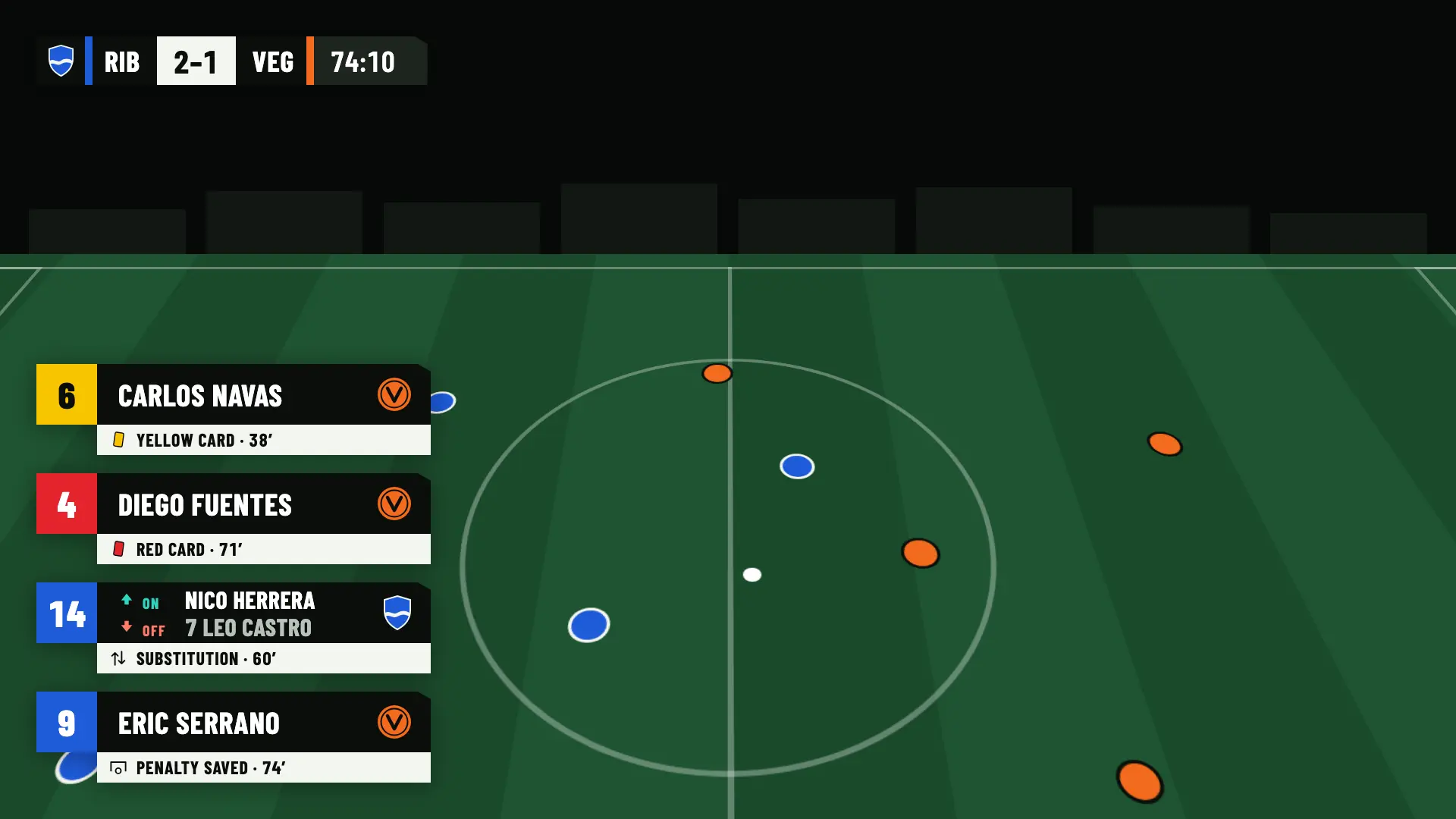
The lower thirds come in on their own with the brand’s 30° angled cut and stay for ten seconds. They carry the shirt number, the name and the team crest, so nobody at home is left wondering who it was.
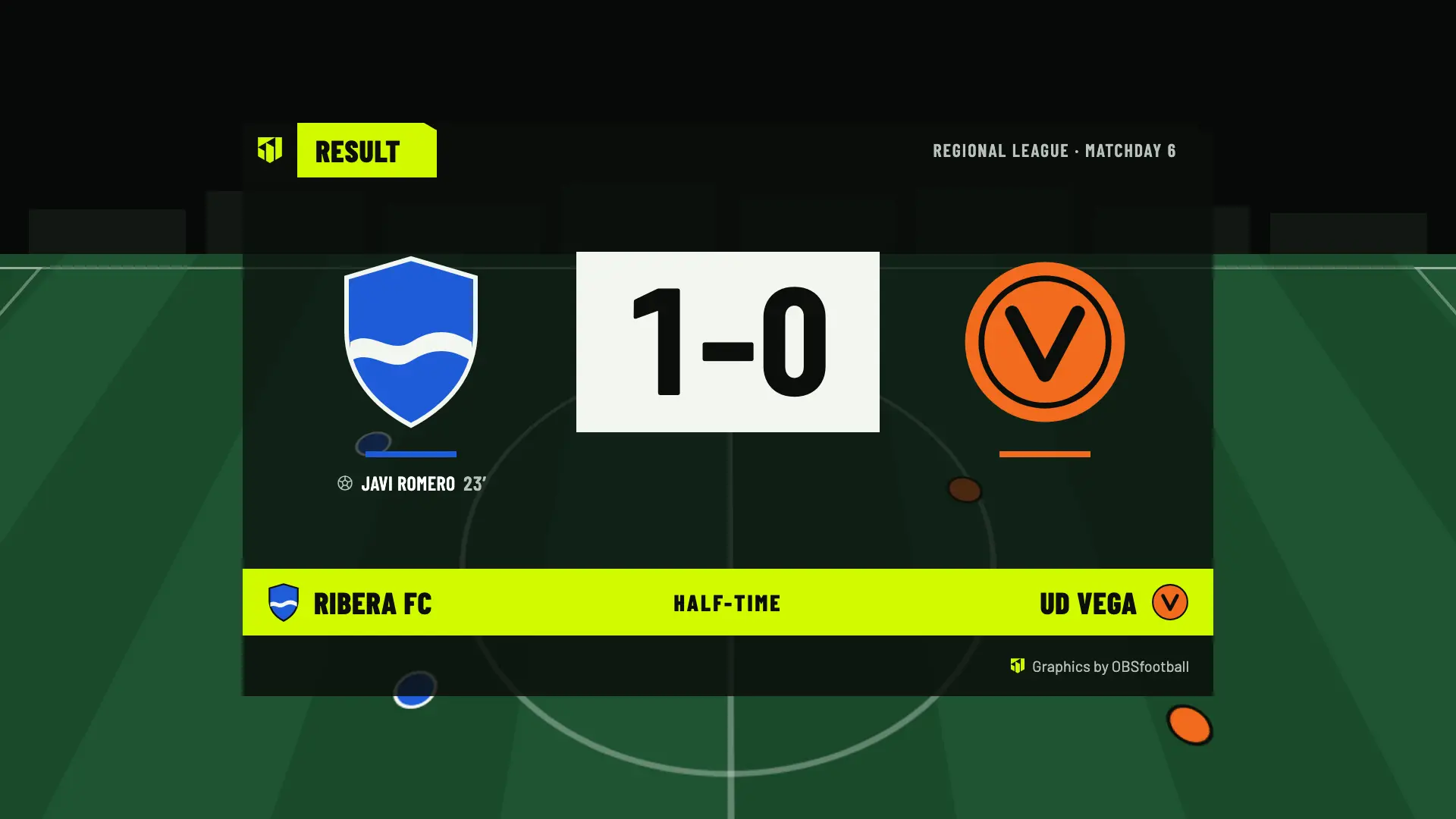
While the match is on, the scoreboard and the lower thirds appear without you doing anything. Before kick-off, at half-time and at full time you choose on your phone which panel is shown: the match card, the line-ups, the result or the statistics.
Keep recording. We send it in order when the signal is back.
Every tap is saved on your phone first and sent in order as soon as the connection is back. Only the button that is waiting is locked; the rest of the control stays available.
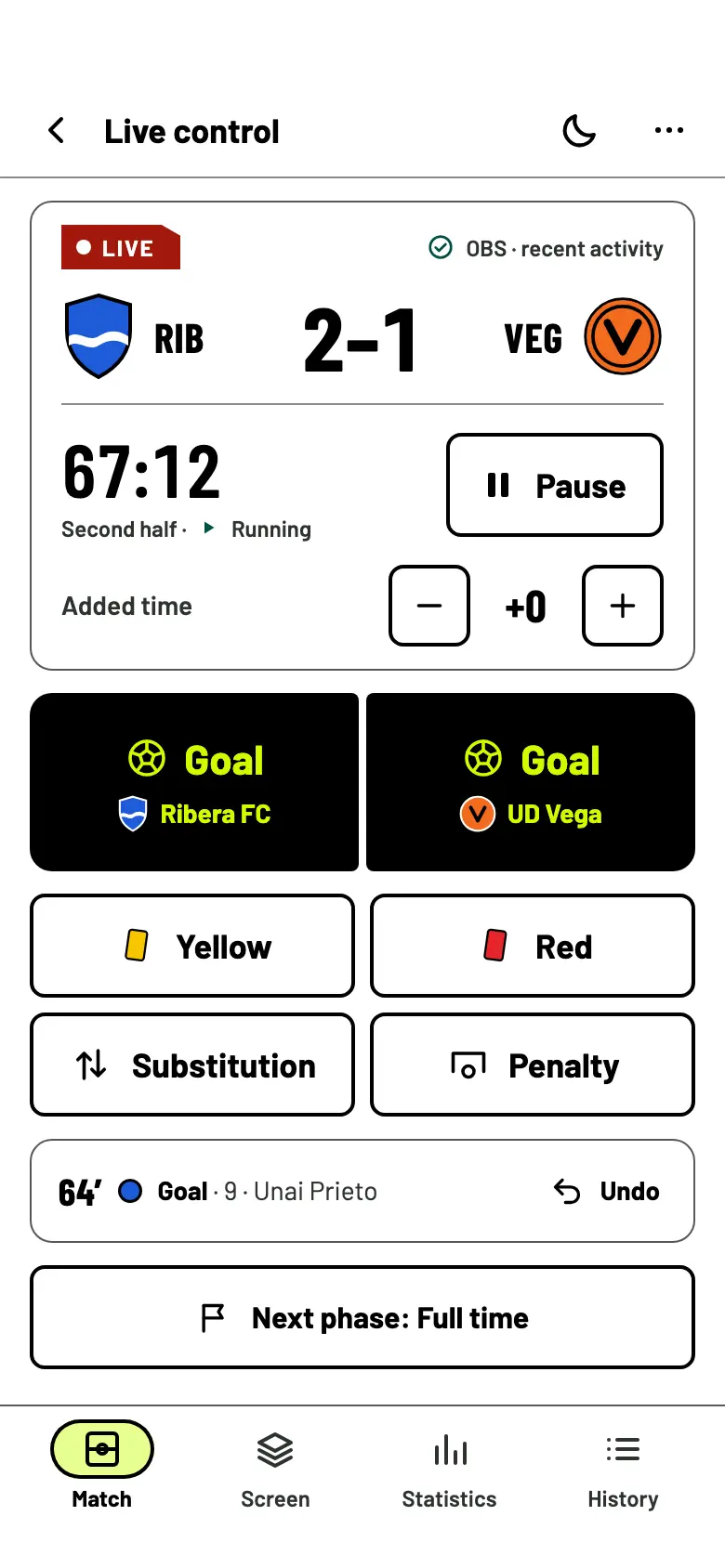
Buttons of 56 pixels or more, half-screen goal buttons and a high-contrast theme you can read with the sun in your face. On a tablet, the control splits into two columns.
You decide when the graphics start to appear. And if everything disconnects, the system doesn’t leave you hanging.
The browser source in OBS stays empty until you tap Start production. You can do interviews or the warm-up with no graphics on top.
With a welcome match or a Match Pass you have 24 hours from the first start. Stopping and starting again within that window doesn’t use another match.
If neither the phone nor OBS connects for 5 minutes, production stops. What you had recorded is kept.
Invite whoever helps you on the sideline. Operators only see the matches you assign to them, and nobody who helps has to pay.
The essentials of the live control are the same in all of them. Pro and Studio add statistics and more matches at once.
| Feature | Free | Match Pass €4.90 | Pro €19/month | Studio €39/month |
|---|---|---|---|---|
| Control from a phone or tablet | Included | Included | Included | Included |
| Goals, cards, substitutions and penalties | Included | Included | Included | Included |
| Clock, phases, extra time and penalty shoot-out | Included | Included | Included | Included |
| Several operators on the same match | Included | Included | Included | Included |
| Live statistics | Not included | Not included | Included | Included |
| Matches you can broadcast | 2 welcome matches | 1 per pass | Unlimited | Unlimited |
| Broadcast access | 24 h per match | 24 h | As long as the subscription lasts | As long as the subscription lasts |
| Matches in production at once | 1 | 1 per pass | 1 | 3 |
No. The control is a web page: you open it in the browser of your phone or tablet and sign in with your Google or Twitch account. From a computer, the match shows you a QR code to open it on your phone.
What you record is saved on your phone and sent in order when the connection is back. Don’t reload the page while you have no signal. If access to the match expires before you get it back, those actions can no longer be sent and the control tells you about each one.
Yes. Anyone with permission in the club can open it, and you assign operators only the matches they run, up to 10 per match. The goals and cards from each phone are added together; the clock and the phase follow whoever touched them last.
In the history you correct the player, the assist or the result of a penalty, or delete the event. If you delete a goal, the score subtracts it on its own.
Yes. From 1024 pixels wide, the control splits into two columns: what is on screen on one side and the buttons on the other.
Create the club and the match without an account, and broadcast your first 2 matches for free.
If you accept, we share your public page visits, clicks to the app and, once permission is confirmed, your registration and purchases with TikTok to measure our ads. TikTok also receives technical browser information.
This is optional and separate from app analytics. We store campaign identifiers for 30 days. You can use OBSfootball without accepting and change your choice here. Privacy policy