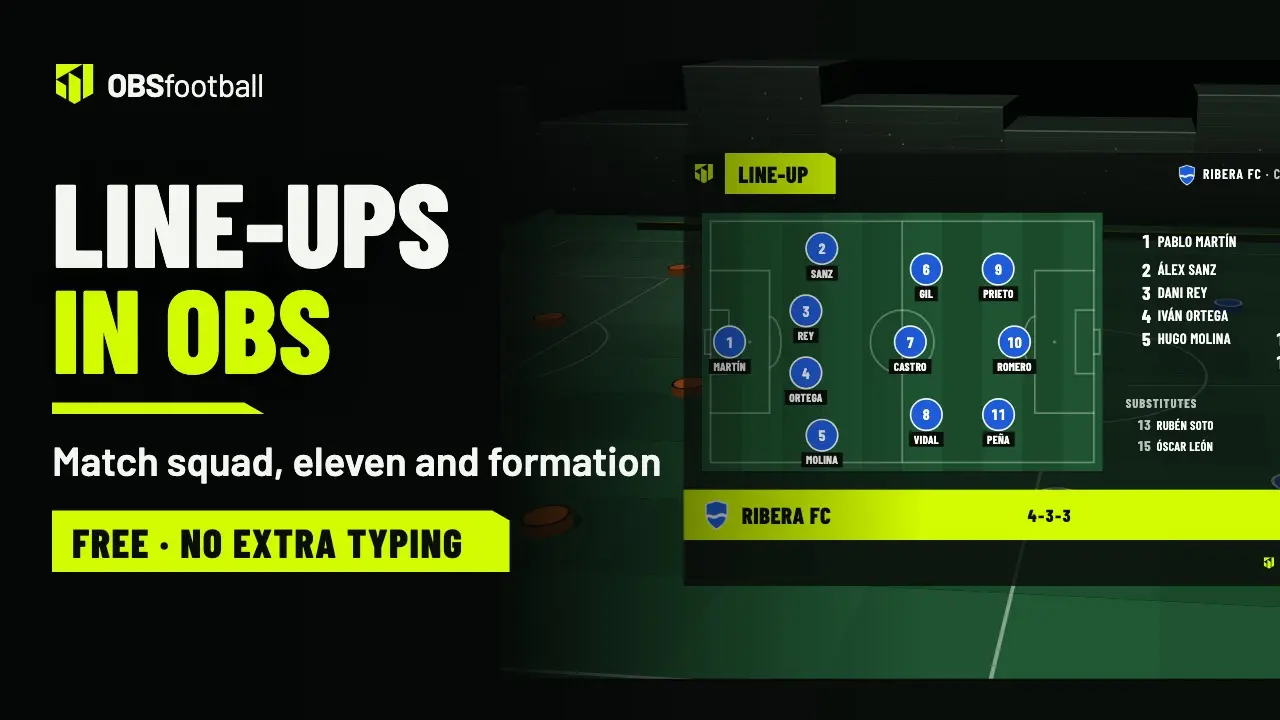
Live match control
The scorers and substitutions of the live match come from the players you prepare.
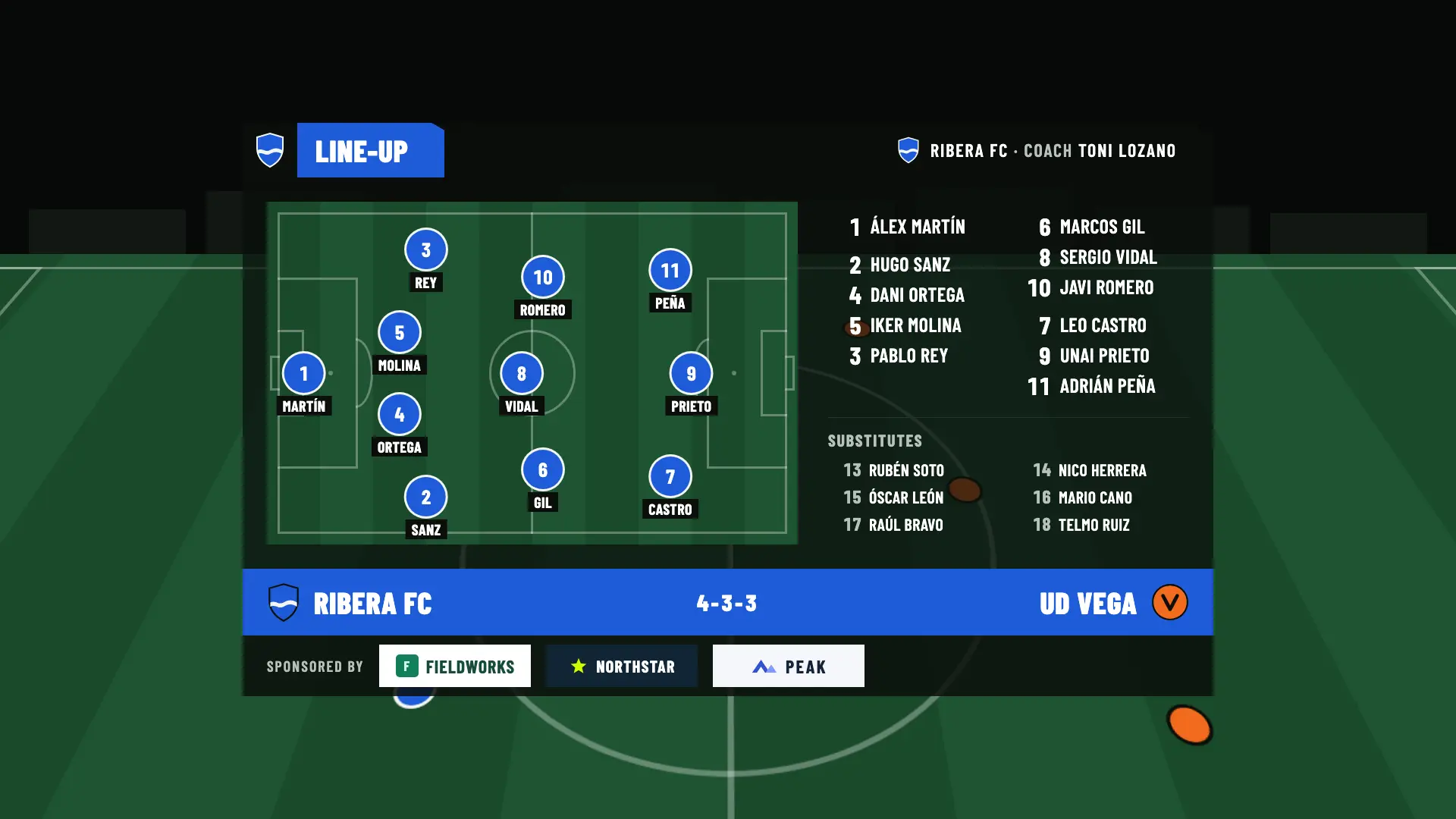
Prepare the match squad and the starting eleven of every match ahead of time. They appear on your OBS broadcast with the formation on the pitch, the substitutes and the coach, and also on the public match page.
Each player’s name is optional. Preparing and previewing doesn’t use up a match.
Seven steps, from the details to the broadcast. Every change saves itself: there is no save button. And preparing or previewing doesn’t use up a match.
Up to 100 players per team, with shirt numbers from 0 to 999 and an optional name. To move faster, use shortcuts that spare you the typing.
Every match starts with the match squad copied from the team’s squad. Your changes in the match don’t touch it, and you can save them to the squad if you want.
All plansThe shirt number is enough. You add the name only if you want it on screen.
All plansCreate shirt numbers 1 to 11 with one tap, paste a list from a message or a spreadsheet (the first 11 lines become starters) and add the bench, shirt numbers 12 to 18.
All plansYou mark the 11 starters and choose one of the 9 formations, or show them as a list.
All plansOptional. Shown in the line-up on the graphics and on the public page.
All plansFor the other team, shirt numbers are enough: you don’t need to know their names.
All plans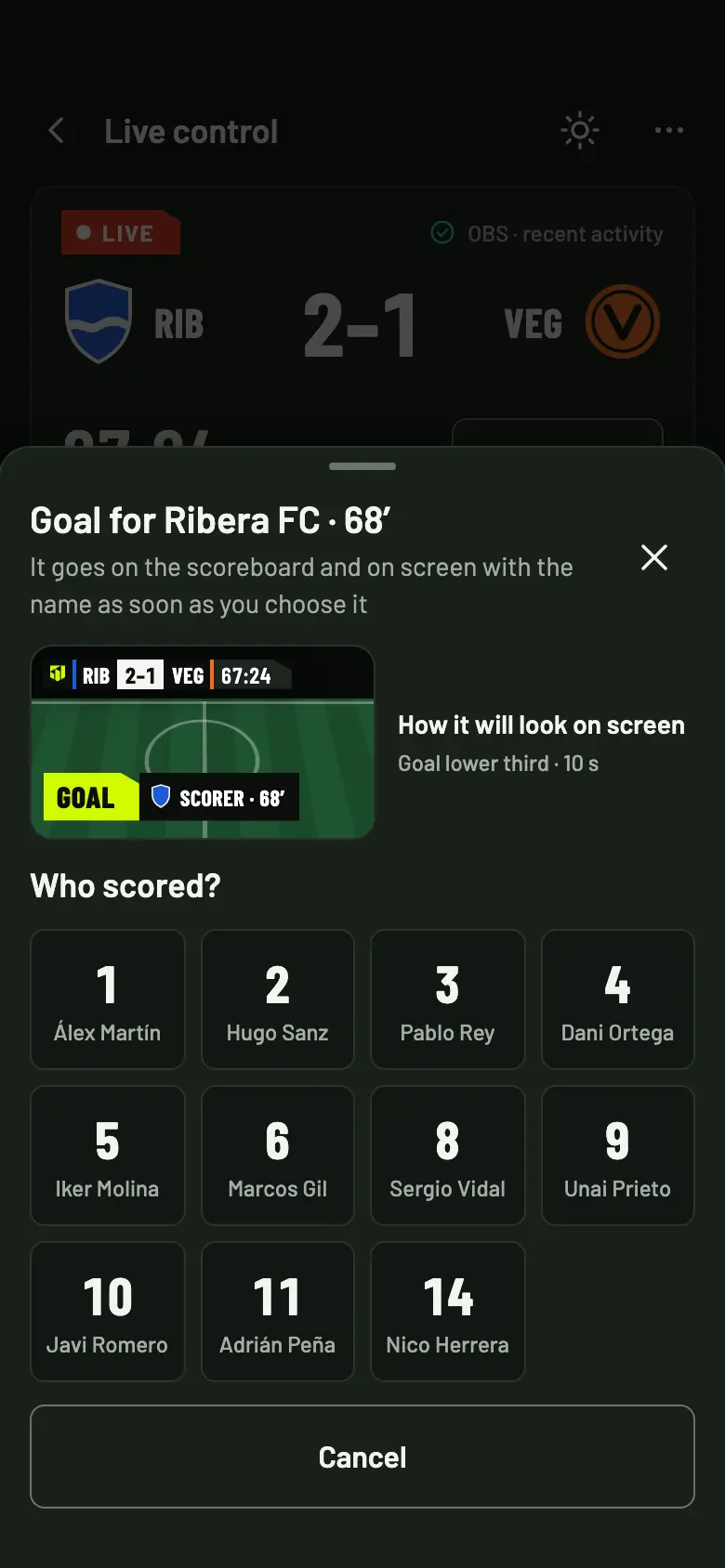
When someone scores, you choose the scorer by shirt number or by name, no keyboard. The players you called up are the ones that show in the control, on the pitch and among the substitutes.
On the app’s own screens: where the match squad comes from, the shortcuts that save typing, the eleven in one of the 9 formations or as a list, the opponent with shirt numbers only, how it shows in OBS and on the match page, how you use it live and how to do it without names.
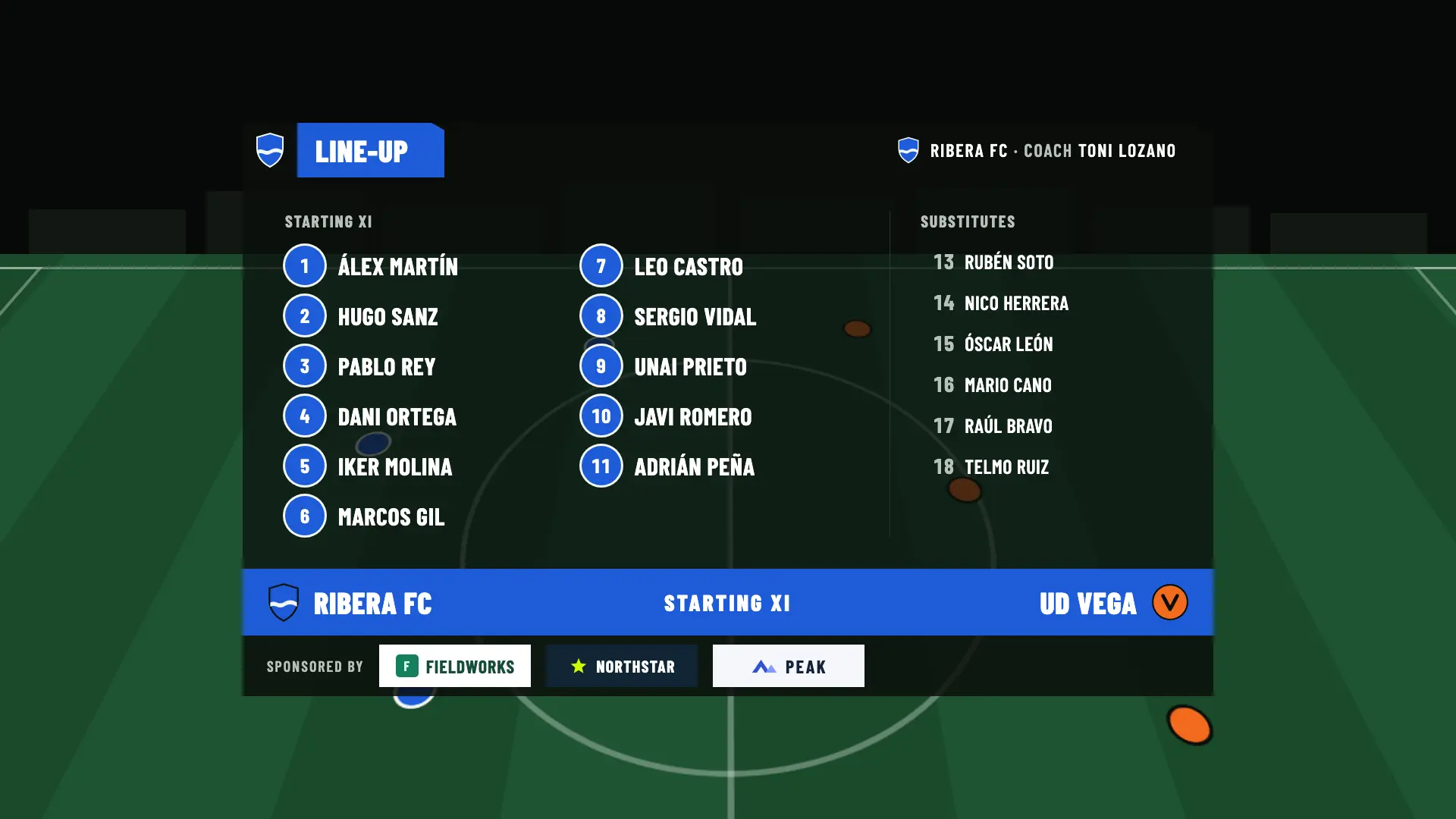
With all 11 starters placed, the line-up shows on the pitch, with its formation. If any starter isn’t placed yet, or if you choose “List”, it shows as a list titled “Starting XI”.
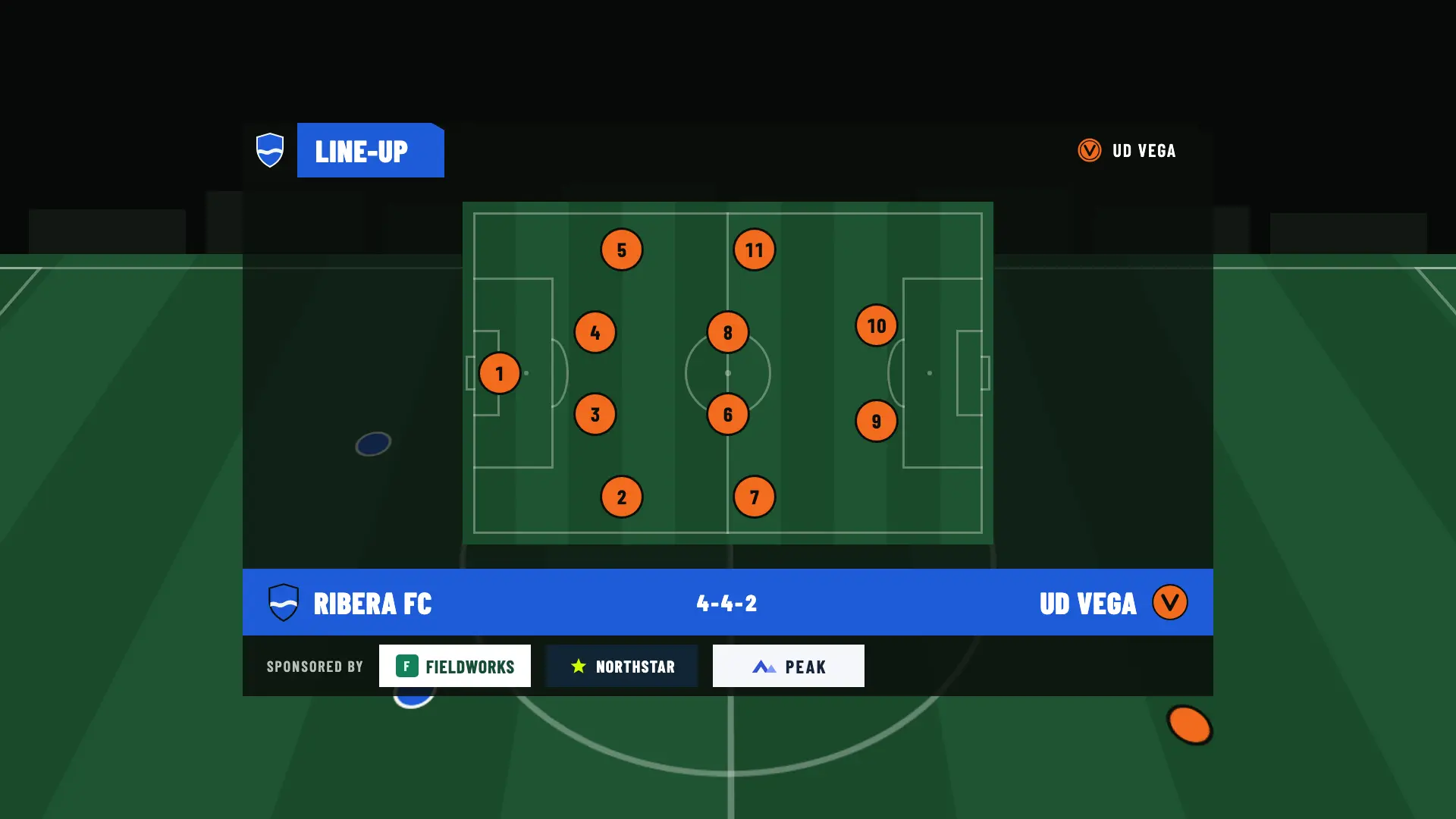
If minors play at your club, their names don’t have to show. Each player’s name is optional and the line-up reads just as well with the shirt number alone.
Before you broadcast, ask the team’s families for permission. The broadcast and its images are the responsibility of the person who makes them, not of OBSfootball.
Your team colors are free on every plan. Your crest on the scoreboard and your own look come with Match Pass.
On the Free plan you can try your club’s look in the preview. It doesn’t appear in OBS until the match has a Match Pass or a plan.
Save up to 50 setups. When you create a match, you can start from one of them instead of from scratch.
Duplicate a previous match: its details are copied and you only choose the date of the new one.
You set the look once in the club and change only what is different in a particular match.
Preparing and showing line-ups works the same on every plan. Match Pass adds your own look and the sponsors at the bottom; Studio adds the image for social media.
| Feature | Free | Match Pass €4.90 | Pro €19/month | Studio €39/month |
|---|---|---|---|---|
| Prepare the match squad and starting eleven, without using up a match | Included | Included | Included | Included |
| Home and away line-ups in OBS, on the pitch or as a list | Included | Included | Included | Included |
| Optional names or shirt numbers only | Included | Included | Included | Included |
| Team colors and crest upload | Included | Included | Included | Included |
| Saved setups and duplicate match | Included | Included | Included | Included |
| Line-ups on the public match page | Included | Included | Included | Included |
| Your own look: accent and text color, typeface, crest or logo on the scoreboard and hashtag | Not included | Included | Included | Included |
| Sponsors at the bottom of the pre-match line-ups | Not included | Included | Included | Included |
| Home and away line-up images for social media | Not included | Not included | Not included | Included |
No. The name is optional: the shirt number is enough, and during the match you choose the scorer by shirt number, no keyboard. Only the season’s player highlights need players with names in the squad.
Up to 100 per team, with shirt numbers from 0 to 999. To save time, you can create shirt numbers 1 to 11 with one tap, paste a list copied from a message or a spreadsheet, or add the bench, shirt numbers 12 to 18.
The line-up shows as a list, titled “Starting XI”, instead of on the pitch. As soon as you place the 11 starters and choose a formation, it shows on the pitch.
Yes. Preparing and previewing doesn’t use up a match, and your changes save by themselves. What uses a welcome match or a Match Pass is pressing “Start production” for the first time.
For the opponent, shirt numbers are enough, and they are saved only in that match. That way you have both teams on screen without needing the other team’s names.
Create the club and the match without an account. Preparing and previewing is free, and so are your first 2 matches to broadcast.
If you accept, we share your public page visits, clicks to the app and, once permission is confirmed, your registration and purchases with TikTok to measure our ads. TikTok also receives technical browser information.
This is optional and separate from app analytics. We store campaign identifiers for 30 days. You can use OBSfootball without accepting and change your choice here. Privacy policy